
Approving a massive Packaging Print run is a high-stakes moment for any brand. Once the presses start rolling,
a tiny typo or a shifted color profile becomes an expensive, irreversible mistake. To ensure your Packaging Print
quality remains top-tier, you need a workflow that bridges the gap between a creative concept and technical reality.
This guide provides a zero-drama checklist to help you navigate the “final look” and technical setup before you give
the green light to your manufacturer.
Phase 1: Concept & Design Strategy
Before diving into the technicalities of Packaging Print, the design must serve its primary purpose: attracting the
customer while remaining functional.
- The Unboxing Experience (UX): A successful design is intuitive. Ensure the structural integrity supports the design aesthetics.
- Material Harmony: Your choice of substrate—such as paperboard, corrugated board, or kraft stock—affects ink behavior, durability, and finishing. See our guide to sustainable packaging paper when comparing material options.
- Hierarchy of Information: Ensure the USP (Unique Selling Proposition) is the focal point, followed by regulatory and legal text.
Phase 2: Mastering the Die line (The Technical Blueprint)
For a deeper structural workflow focused on material efficiency, glue-free construction, and dieline optimization, see the Sustainable Packaging Structural Design guide.
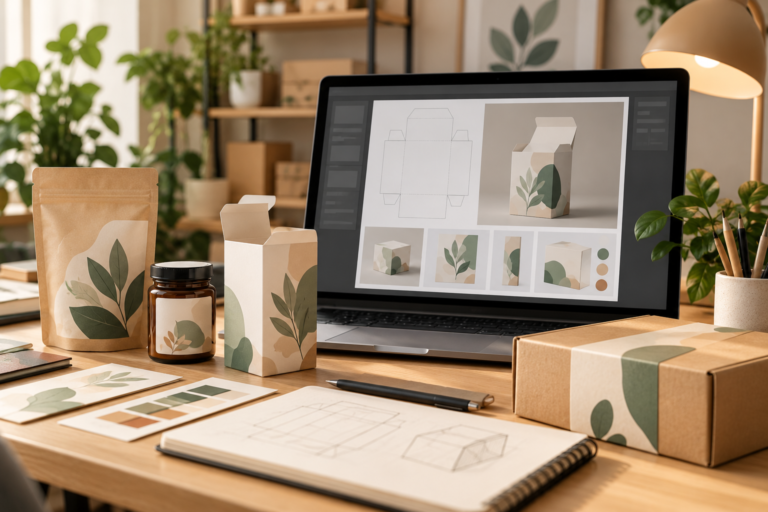
The dieline is the foundation of any Packaging Print project. If the file setup is flawed, the final product will fail during the cutting and assembly stage.
- Vector accuracy: The cutoff lines must be 100% vector paths.
- Layer Organization: Keep the die line on a separate, locked layer named “DIE LINE”. Set this layer to “Overprint”.
- To ensure a secure protrusion: Extend your design at least 3 mm beyond the cut line. Refer to the Adobe Illustrator Print Guide for official setup instructions.
Phase 3: The Zero-Drama QA Checklist
Before you authorize the final Packaging Print run, perform these non-negotiable checks:
Content and compliance review
- Barcode function: Barcode validation. You can use the GS1 barcode validator to verify the numbers.
- Regulatory Symbols: Double-check that recycling icons and weight certifications meet legal requirements.
Color and technical specifications
- CMYK vs. Pantone: Keep process-color artwork in CMYK and use approved spot colors such as Pantone when the printer specifies them. Do not send RGB artwork unless your print provider explicitly requests it.
- White Underprint: Essential for metallic or transparent materials.
- Maximum Ink Coverage (TIC): Ensure that dark areas do not exceed 300% ink coverage.
Misusing a sustainability symbol can damage your brand credibility.
Get the verified, internationally recognized packaging symbols in one practical designer-friendly guide.
Frequently Asked Questions (FAQ)
Q1: Why is a physical mockup necessary if I have a 3D digital render?
Digital renders don’t show how paper folds, how light hits a specific texture, or if a flap interferes with a logo.
A 1:1 physical mockup is the only way to catch ergonomic errors.
Q2: What is the difference between CMYK and Pantone in Packaging Print?
CMYK uses four inks to create colors, while Pantone (Spot Color) uses a specific pre-mixed ink. Pantone is recommended for brand logos to ensure color consistency across different print batches.
Q3: Can I use high-resolution JPEG images for my cutting lines?
No. Die lines must be vector-based (AI, EPS, or PDF) so the cutting machines can follow a mathematical path rather than a pixelated edge.
Conclusion: Trust, but Verify
In the world of packaging printing, the difference between a great product and a costly mistake lies in the details. By following this systematic approach, you protect your brand reputation and your bottom line.
🚀 Ready to Perfect Your Next Project?
Don’t leave your brand’s first impression to chance. Download our “Ultimate Print-Ready Checklist” PDF to keep on your desk for every launch!
Download the checklist
Don’t Stop Here—Keep Learning! “Mastering Packaging Print is just the beginning. Our library is packed with expert guides to help
you navigate every stage of the design process—from creative concepts to sustainable material choices. Take your skills to the next level.”
Looking for recommended packaging tools, printers, supplies, and software? Visit our Small Business Packaging Tools page.
Not sure where to buy packaging materials in the U.S.? Check our complete guide to trusted packaging suppliers,