
Affiliate disclosure: This post contains affiliate links. If you purchase through them, I may earn a commission at no extra cost to you. As an Amazon Associate I earn from qualifying purchases.
The best label maker for a small business depends on what you need to print. For versatile everyday business labeling, the Brother QL-810W is our best overall pick, while the Phomemo M110 is better suited to compact product labels and barcodes. If your business mainly prints 4×6 shipping labels, a dedicated label printer such as the Rollo Wireless is the better fit.
Small businesses often need several types of labels—from product and barcode labels to packaging stickers, inventory labels, and shipping labels—and one machine rarely does everything equally well. If your priority is full-color branding for jars, boxes, bottles, or pouches, compare our best product label printers for small business.
For this guide, we compared 9 of the best label makers and label printers for small businesses, focusing on print type, supported label sizes, connectivity, portability, print resolution, and the real-world jobs each model handles best.
Use the comparison below to find the right label maker for your products, packaging, inventory, or shipping workflow.
Best Label Makers for Small Business: Quick Picks
Best Overall: Brother QL-810W — Best for versatile everyday business labeling.
Best for Product Labels: Phomemo M110 — Best for compact product labels, barcodes, and QR codes.
Best for Wider Product Labels: Phomemo M220 — Better when you need more flexibility with label sizes.
Best for Shipping Labels: Rollo Wireless — Best for businesses primarily printing 4×6 shipping labels.
Best Budget Portable Option: Phomemo D30 — Best for simple, lightweight labeling tasks.
Shop the three most useful picks:
Best Label Makers for Small Business at a Glance
| Label Maker | Best For | Best Business Type | Print Type | Connectivity | Key Advantage |
|---|---|---|---|---|---|
| Brother QL-810W | Best Overall | General small business | Direct thermal | Wi-Fi, USB | Versatile business labeling |
| DYMO LetraTag 200B | Simple organization | Home-based business | Thermal | Bluetooth | Easy mobile printing |
| Brother P-touch D400AD | Desktop labeling | Small office / workshop | Thermal transfer | Standalone | Built-in keyboard |
| DYMO LabelManager 160 | Budget desktop labeling | Small office / maker | Thermal transfer | Standalone | Simple and affordable |
| Phomemo M110 | Product labels | Handmade / small product business | Direct thermal | Bluetooth | Compact labels & barcodes |
| Phomemo M220 | Wider product labels | Candle / soap / handmade | Direct thermal | Bluetooth | More label-size flexibility |
| Phomemo D30 | Budget portable | Very small / home business | Direct thermal | Bluetooth | Small and portable |
| Brady M210 | Durable labels | Workshop / equipment-based business | Thermal transfer | Standalone | Durable identification |
| Rollo Wireless | Shipping labels | E-commerce / online seller | Direct thermal | Wi-Fi | 4×6 shipping workflow |
Tip: Don’t choose based on price alone. First decide whether you primarily need product labels, shipping labels, barcodes, organization labels, or full-color branded packaging.
How We Chose the Best Label Makers for Small Businesses
A label maker that works well in an office may not be the right choice for a candle business, bakery, handmade shop, or e-commerce seller. We compared these label makers based on the tasks small businesses actually need them to handle.
Our evaluation focused on:
- Label type and size: Whether the printer is better suited to product labels, barcodes, organization labels, or 4×6 shipping labels.
- Print technology: Direct thermal and thermal-transfer options have different strengths, costs, and label requirements.
- Connectivity: We considered Wi-Fi, Bluetooth, USB, and standalone operation depending on how and where the printer is likely to be used.
- Ease of use: Simple setup and practical software matter when labeling is only one part of running a small business.
- Daily setup: For regular small-business use, create a reusable label template, save the correct label size and print settings, confirm the printer connection, run one test label, and keep a preset for repeat jobs so staff do not have to rebuild the setup each day.
- Business fit: We looked at whether each model makes more sense for handmade products, home-based businesses, workshops, offices, or e-commerce shipping.
- Ongoing costs: The price of compatible labels and supplies matters just as much as the initial cost of the machine.
Rather than naming one label maker as the best for every business, our recommendations are organized around specific use cases so you can choose the model that fits your actual labeling workflow.
Why You Can Trust Busho Designer
Busho Designer focuses on practical packaging, printing, and design solutions for small product-based businesses. Our goal is to help small brands choose tools that fit real workflows and realistic budgets—not simply recommend the product with the longest feature list.
For this guide, we reviewed manufacturer specifications, label compatibility, printing methods, connectivity, and the types of business tasks each model is designed to handle. We then matched those capabilities to common small-business needs, including product labeling, barcodes, inventory organization, and shipping.
Our recommendations distinguish between label makers for product and organizational labels and dedicated label printers for shipping, because the best choice depends on what your business actually needs to print.
The 9 Best Label Makers for Small Business
1. Brother QL-810W — Best Overall
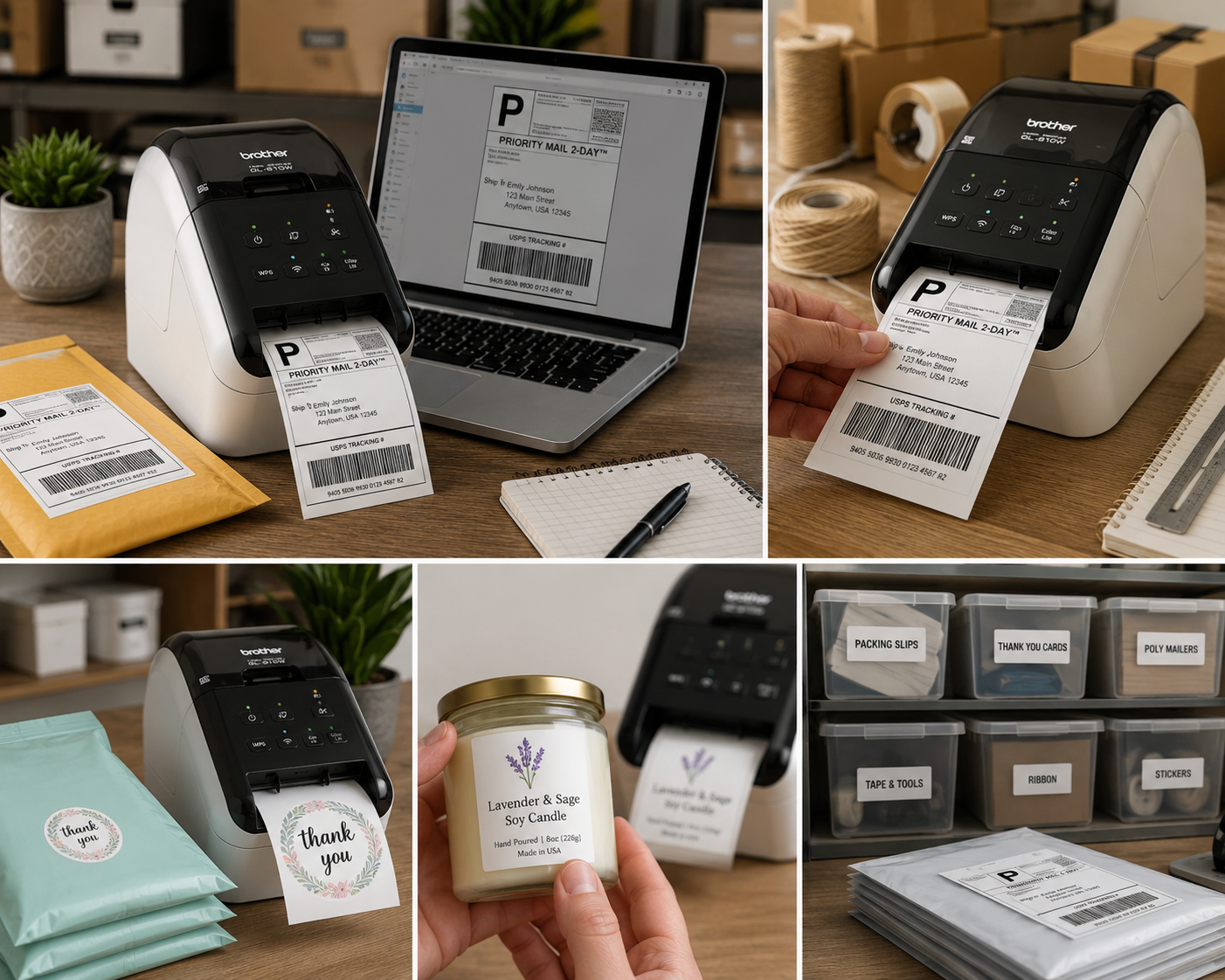
The Brother QL-810W is our best overall label maker for small businesses that need one versatile desktop printer for everyday labeling. It is particularly useful for product-based businesses that regularly print address labels, barcodes, inventory labels, packaging labels, and other black-and-white business labels.
It uses direct thermal printing, so there are no ink or toner cartridges to replace. Wi-Fi and USB connectivity also make it practical for a small workspace where labels may need to be printed from more than one device.
The QL-810W is a strong all-around choice, but it is not designed for every labeling job. Businesses that primarily need 4×6 shipping labels may be better served by a dedicated shipping label printer, while brands that need full-color product labels will need an inkjet or professional label-printing solution instead. For that use case, see our best printers for stickers and full-color product labels.
Best For
- Address labels
- Barcodes
- Packaging labels
- General business labeling
- Small offices
- Product-based businesses
Pros
- No ink or toner required
- Wireless connectivity
- Fast printing
- Supports multiple label formats
- Strong option for everyday business use
Cons
- Not designed primarily for full-color product branding
- Compact label printers may be more convenient for very small product labels
- Dedicated 4×6 printers are better for businesses focused heavily on shipping
Best choice if: Best choice if: You want one versatile label maker for several everyday small-business labeling tasks.
2. DYMO LetraTag 200B — Best for Simple Organization
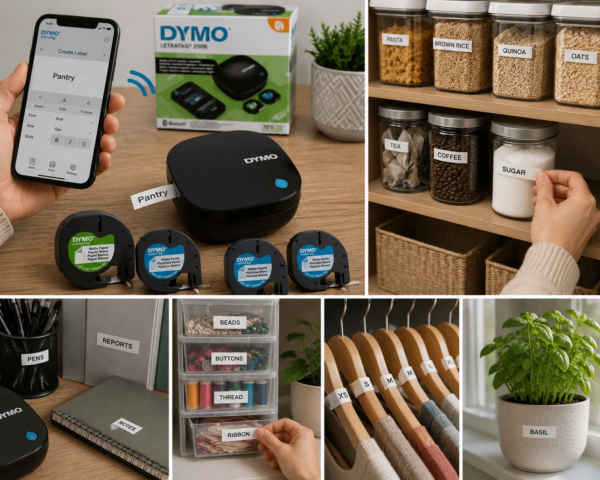
The DYMO LetraTag 200B is a compact Bluetooth label maker designed for straightforward labeling from a smartphone or tablet.
It makes the most sense for businesses that need quick organization labels rather than high-volume product or shipping labels.
You might use it to organize packaging supplies, storage bins, drawers, inventory areas, or equipment around your workspace.
Best For
- Packaging organization
- Storage bins
- Office organization
- Simple identification labels
- Occasional labeling
Pros
- Compact
- Bluetooth connectivity
- Easy mobile operation
- Simple for everyday organization
- Portable
Cons
- Limited compared with dedicated business label printers
- Not ideal for high-volume shipping
- Not intended for sophisticated product branding
Best choice if: You primarily want an inexpensive, simple label maker for organizing your workspace.
3. Brother P-touch D400AD — Best Desktop Label Maker
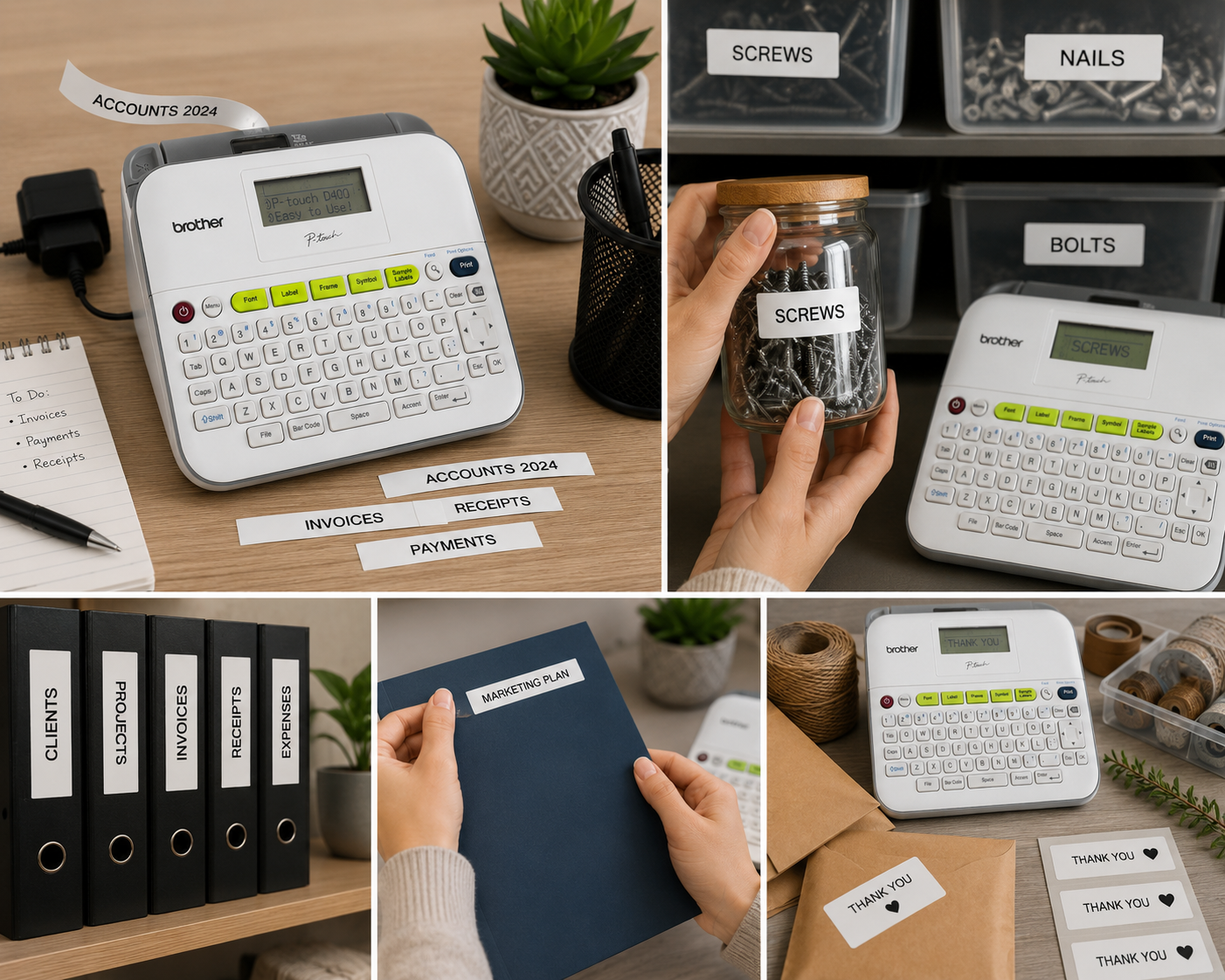
The Brother P-touch D400AD is a traditional desktop label maker with a built-in keyboard, making it useful for business owners who don’t want to depend on a phone every time they print a label.
It’s particularly practical for organization, shelving, storage, product identification, and other repetitive labeling tasks.
Best For
- Workspace organization
- Shelving
- Storage
- Inventory identification
- Packaging stations
Pros
- Built-in keyboard
- Standalone operation
- Useful for organized workspaces
- Wide range of practical labeling applications
Cons
- Less portable than mobile-only models
- Not intended for 4×6 shipping labels
- Not a replacement for a color product-label printer
Best choice if: You prefer a standalone desktop label maker instead of designing every label from your phone.
4. DYMO LabelManager 160 — Best Budget Desktop Label Maker
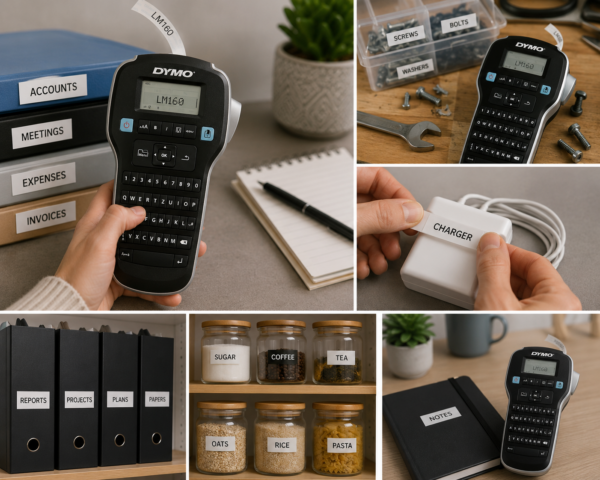
The DYMO LabelManager 160 is a straightforward option for small businesses that want basic desktop labeling without a complicated setup.
It’s most useful behind the scenes—organizing inventory, packaging supplies, storage containers, shelves, and other areas of your workspace.
Best For
- Office labels
- Storage
- Packaging supplies
- Inventory organization
- Basic business labeling
Pros
- Simple to operate
- Compact
- Physical keyboard
- Suitable for basic organization
Cons
- Limited for creative product labels
- Not designed for shipping-label workflows
- Fewer advanced features than larger business printers
Best choice if: You need a simple desktop label maker primarily for organization.
5. Phomemo M110 — Best for Product Labels
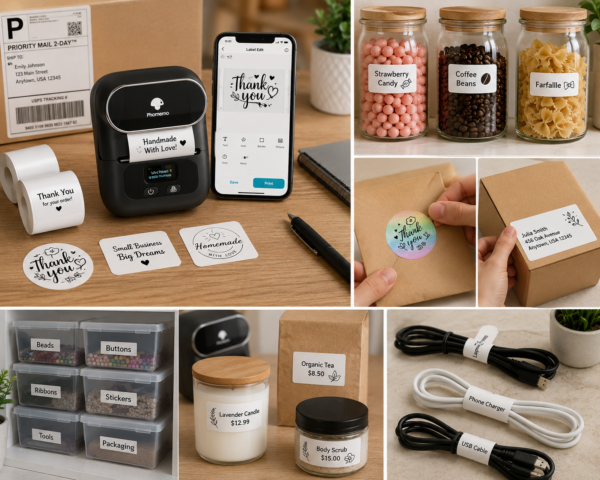
The Phomemo M110 is one of the best label printers for small businesses that need compact product labels without investing in a larger desktop printer. It works especially well for handmade businesses, Etsy sellers, candle makers, soap businesses, and other small product-based brands.
This portable thermal label maker can print product information, prices, barcodes, QR codes, inventory labels, and other small black-and-white labels directly from a smartphone via Bluetooth.
Because it uses direct thermal printing, there is no ink or toner to replace. However, the M110 is best for practical black-and-white product labels rather than full-color branded labels. If your packaging relies heavily on color, logos, or premium label designs, an inkjet printer or professional label-printing service may be a better choice..
Best For
- Small product labels
- Barcodes
- QR codes
- Price labels
- Inventory
- Small-batch products
Pros
- Compact and portable
- No ink required
- Bluetooth printing
- Useful for small product labels
- Good fit for barcodes and QR codes
Cons
- Black-and-white thermal printing
- Not suitable for full-color branding
- Label width is more limited than larger models
Best choice if: You sell small products and regularly need simple information labels, barcodes, prices, or QR codes.
6. Phomemo M220 — Best for Wider Product Labels
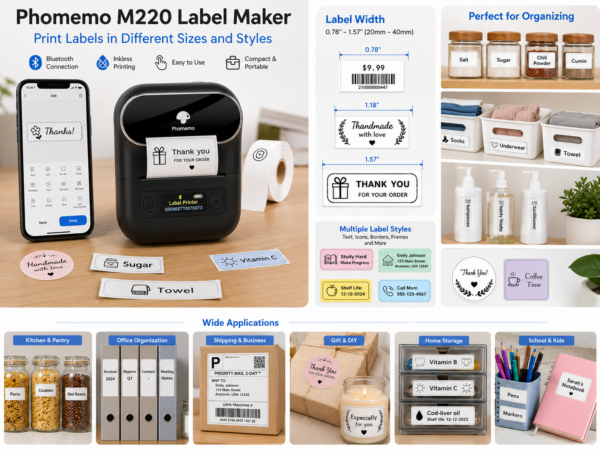
The Phomemo M220 is a better choice for small businesses that need wider product labels while still wanting the convenience of a portable Bluetooth thermal printer. Compared with the smaller Phomemo M110, the M220 supports a wider range of label sizes, making it more flexible for product packaging, barcodes, inventory labels, and larger information labels.
For candle makers, soap businesses, handmade brands, and other small product-based businesses, the extra label-size flexibility can be useful when one label needs to include ingredients, product details, barcodes, pricing, or other information. Soap makers who need full-color branding can also compare our best printers for soap labels.
Phomemo M220 vs. M110: Choose the M110 if portability and compact labels are your priority. Choose the M220 if you regularly need larger or wider labels and want more flexibility as your product range grows.
Best For
- Product labels
- Wider labels
- Barcodes
- QR codes
- Inventory
- Packaging information
Pros
- Greater label-size flexibility
- Bluetooth connectivity
- No ink required
- Useful for several product-labeling tasks
- Portable compared with larger desktop printers
Cons
- Still primarily black-and-white
- Not a replacement for full-color branded label printing
- Requires compatible thermal labels
Best choice if: You like the M110 concept but need more flexibility with label sizes.
7. Phomemo D30 — Best Budget Portable Label Maker
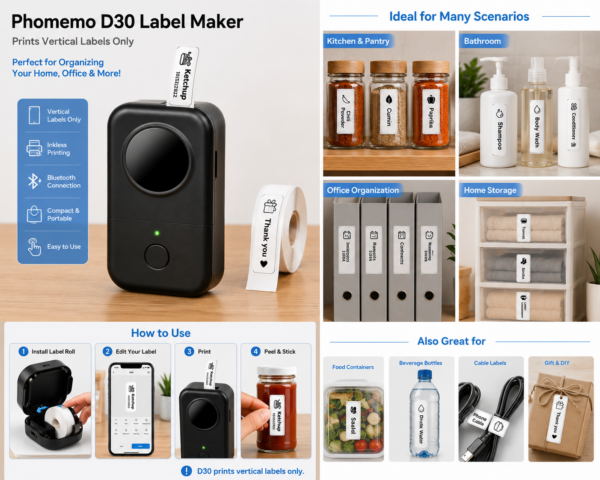
The Phomemo D30 is one of the best budget portable label makers for small businesses that need quick, simple labels without investing in a larger desktop printer. Its compact size and Bluetooth connectivity make it particularly convenient for home-based businesses, craft sellers, and small workspaces.
For a small business, the D30 works best for compact product labels, barcodes, price labels, and inventory tags rather than standard 4×6 shipping labels. Its narrow format makes it a better fit for small-item identification and everyday product labeling.
The D30 works best for lightweight labeling tasks such as organizing packaging supplies, labeling storage containers, adding simple product information, creating price labels, and managing inventory.
Because it is designed around small labels, the D30 is not the best choice for 4×6 shipping labels or larger branded product labels. However, for businesses that mainly need an affordable portable label maker for everyday organization and small labels, it offers a practical entry-level option.
Best For
- Small product labels
- Price labels
- Inventory labels
- Packaging organization
- Storage bins
- Home-based businesses
Pros
- Affordable
- Compact and lightweight
- Bluetooth connectivity
- No ink or toner required
- Easy for quick everyday labels
Cons
- Limited label size
- Black-and-white thermal printing
- Not suitable for 4×6 shipping labels
- Not designed for full-color branded product labels
Best choice if: You want an affordable, portable label maker for small labels and everyday business organization.
8. Brady M210 — Best for Durable Business Labels
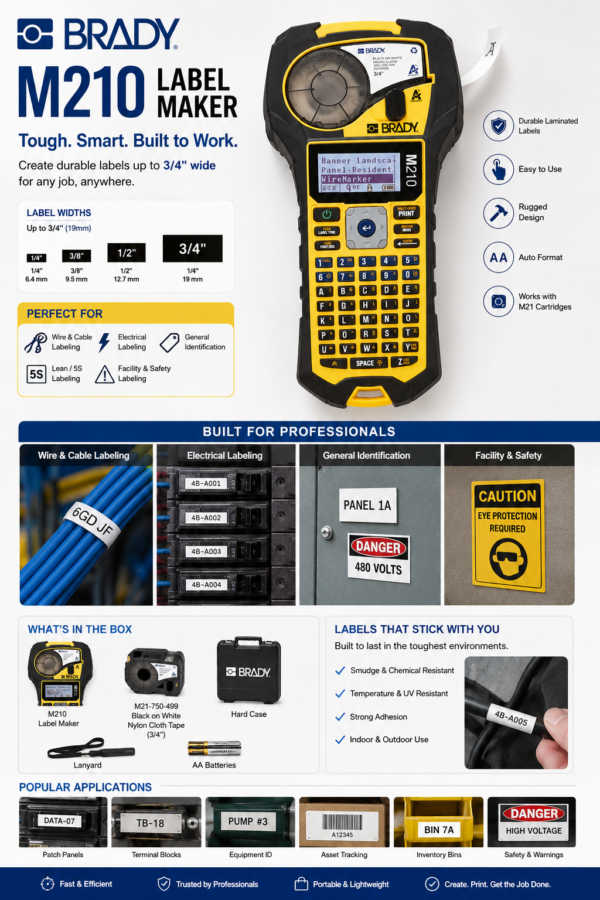
The Brady M210 is a durable label maker designed for small businesses that need tougher identification labels for equipment, tools, inventory, and workspaces. Unlike compact label makers intended mainly for simple product or organization labels, the M210 is built for more demanding labeling environments.
It can be particularly useful for workshops, makers, small production spaces, and businesses that need labels for equipment identification, storage systems, cables, inventory, or operational organization.
For a candle, soap, bakery, or handmade business, the Brady M210 probably isn’t necessary for everyday product packaging. But if your business uses equipment, tools, storage systems, or a dedicated production workspace, its more durable labeling approach can make considerably more sense than a basic portable label maker.
Best For
- Equipment labels
- Tool identification
- Inventory labels
- Workshop organization
- Storage systems
- Small production environments
Pros
- Designed for demanding labeling environments
- Portable
- Suitable for durable identification
- Useful for equipment and operational organization
- Better suited to workshop use than basic consumer label makers
Cons
- More specialized than most small businesses need
- Not intended for decorative product packaging
- Overkill for simple price or organization labels
- Less suitable for businesses that only need basic product labels
Best choice if: Your business needs durable labels for equipment, inventory, tools, or a production workspace rather than decorative product packaging.
9. Rollo Wireless — Best for Shipping Labels
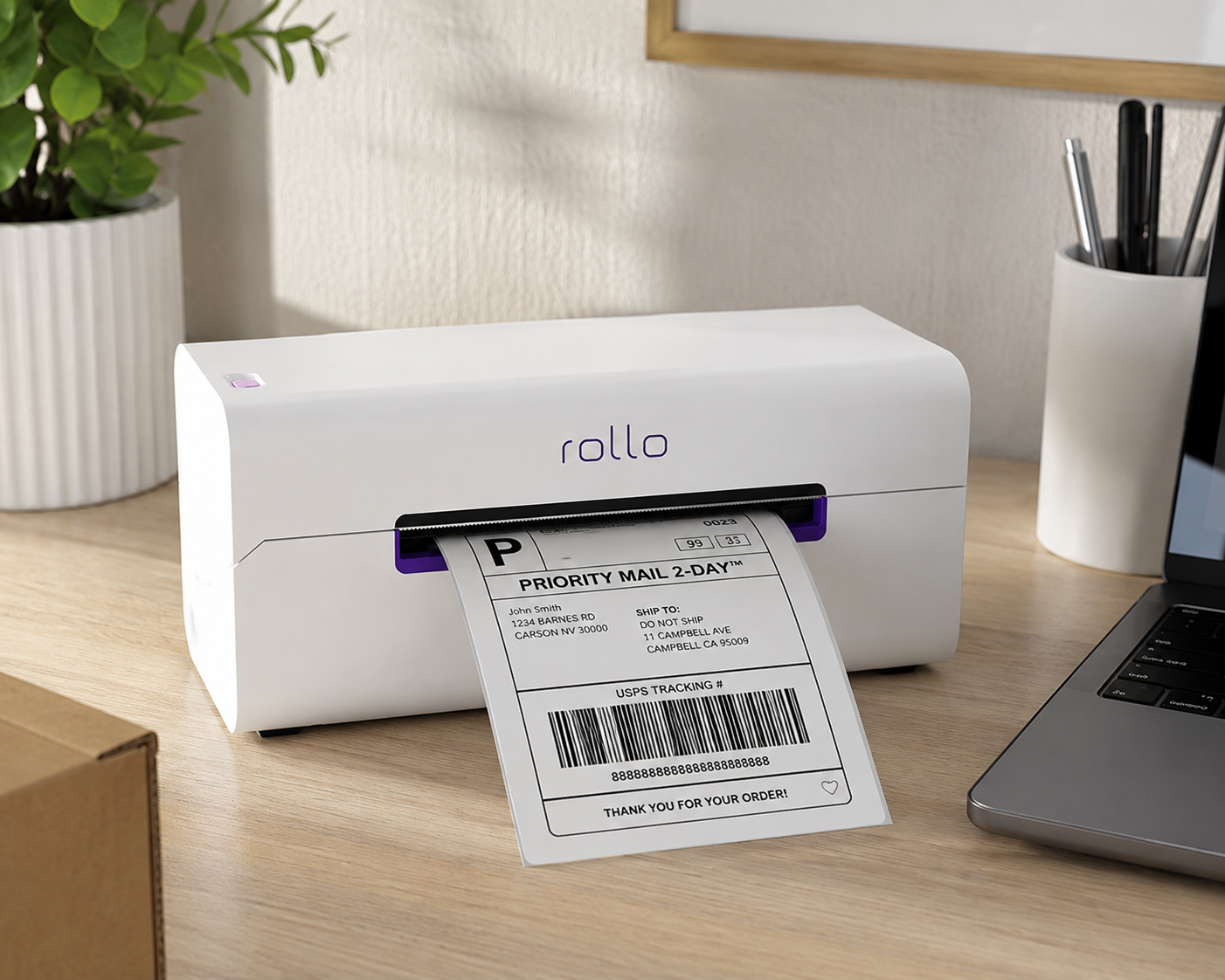
The Rollo Wireless is one of the best shipping label printers for small businesses that regularly print 4×6 shipping labels for customer orders. Unlike compact handheld label makers designed for product identification or organization, Rollo is built around shipping and order fulfillment.
It uses direct thermal printing, so there is no ink or toner to replace, and its wireless connectivity makes it convenient for e-commerce businesses printing labels from multiple devices.
The Rollo Wireless makes the most sense for Etsy sellers, Shopify stores, handmade brands, and other product-based businesses shipping orders regularly. If you only need small product labels, a compact printer such as the Phomemo M110 may be more practical. But for a growing business where 4×6 shipping labels are the primary labeling task, Rollo is the stronger choice.
Best For
- 4×6 shipping labels
- E-commerce businesses
- Etsy and online sellers
- Order fulfillment
- Growing product-based businesses
- Regular shipping workflows
Pros
- Designed specifically for shipping workflows
- No ink or toner required
- Wireless connectivity
- Excellent for 4×6 shipping labels
- Efficient for regular order fulfillment
Cons
- More printer than you need for small product labels
- Not intended for full-color branded labels
- Higher upfront cost than compact label makers
- Best value mainly for businesses shipping regularly
Best choice if: Your small business regularly ships customer orders and needs a dedicated wireless printer for 4×6 shipping labels.
If you’re building a complete fulfillment setup, see our best shipping supplies for small business guide for more tools that can simplify packing and shipping orders.
Which Label Maker Is Best for Your Type of Small Business?
Not every small business needs the same type of label printer. A candle maker printing small product labels has very different needs from an online seller printing 4×6 shipping labels.
Before choosing, consider what you print most often, the label sizes you use, and whether you need product labels, shipping labels, or both.
Best Label Maker for Candle Businesses
Candle businesses may need product names, scent labels, warning labels, barcodes, and packaging stickers.
A compact thermal label maker such as the Phomemo M110 or M220 can be useful for small black-and-white product labels, barcodes, QR codes, and packaging information.
However, if your candle branding relies on full-color logos, illustrations, or decorative designs, a color inkjet printer with quality printable sticker paper for product labels may be a better choice for your primary branding. See our best printers for candle labels for color-focused options, or compare the best printers for stickers for broader product-label projects.
For more ideas, explore our candle packaging ideas for small businesses to plan your boxes, labels, inserts, and presentation.
Best Label Maker for Soap and Handmade Businesses
Soap makers and handmade businesses may print product names, batch information, barcodes, prices, and packaging labels in several sizes.
The Phomemo M220 is worth considering when you need greater size flexibility.
For colorful branded packaging, consider using a regular color printer for primary product labels and a thermal label maker for operational labels such as barcodes, batch numbers, and pricing.
Best Label Maker for Home Bakeries
Home bakeries often need labels for product names, ingredients, dates, prices, and packaging.
A compact thermal printer can be convenient for frequently changing black-and-white information.
For decorative bakery packaging or labels featuring your full-color brand identity, printable sticker sheets used with a color printer offer more creative flexibility.
Best Label Printer for Etsy and Online Sellers
If most of your labels are used to ship orders, prioritize a printer designed to handle standard 4×6 shipping labels.
A dedicated thermal shipping printer such as Rollo Wireless is generally a better fit than a small handheld label maker.
If you also manufacture your own products, you may eventually benefit from two tools: a shipping printer for fulfillment and a compact label maker for product, barcode, or inventory labels.
Best All-Purpose Option
If you want one machine to handle several labeling tasks, check the maximum supported label width carefully.
The Brother QL-810W is a versatile option for address, barcode, packaging, and general business labels.
However, businesses regularly printing standard 4×6 shipping labels may still benefit from a dedicated wide-format shipping printer.
Bottom line: Choose your printer based on the labels you print most often—not simply the model with the most features.
Label Maker vs. Label Printer vs. Regular Printer
Understanding the difference can prevent you from buying the wrong machine.
Label Maker
A label maker is typically compact and designed for quick, smaller labels.
Best for:
- Product information
- Barcodes and QR codes
- Price labels
- Inventory labels
- Packaging organization
- Small-batch labeling
Choose one if you regularly need simple, compact labels and portability matters.
Dedicated Label Printer
A dedicated label printer is generally better for businesses that print labels frequently or need larger formats.
Many shipping label printers use direct thermal technology and therefore don’t require traditional ink or toner.
Best for:
- 4×6 shipping labels
- Address labels
- Barcodes
- Order fulfillment
- Higher-volume printing
If you ship orders frequently, a dedicated shipping printer can make fulfillment significantly easier.
Regular Inkjet or Laser Printer
A regular printer may actually be better when branding and color matter more than speed.
Using compatible printable label sheets, a color printer can create labels with logos, illustrations, patterns, and decorative branding that standard black-and-white thermal printers cannot reproduce.
Best for:
- Full-color product labels
- Candle and soap branding
- Bakery packaging
- Logo stickers
- Decorative packaging labels
Which Should You Choose?
| Main Need | Best Starting Point |
|---|---|
| Small product, barcode or inventory labels | Label maker |
| 4×6 shipping labels | Dedicated thermal shipping printer |
| Full-color branded labels | Color inkjet/compatible printer |
| Shipping + colorful product packaging | Two-printer setup |
For many growing product businesses, there isn’t one printer that does everything equally well.
If you need full-color branded labels, see our guide to the best printable sticker paper for small-business packaging.
Direct Thermal vs. Thermal Transfer vs. Inkjet
The best printing technology depends on how long the label needs to last, whether you need color, and where the label will be used.
Direct Thermal
Direct thermal printers create an image using heat-sensitive media and require no ink, toner, or ribbon.
Best for:
- Shipping labels
- Barcodes and QR codes
- Short-term inventory labels
- Address labels
- Frequently changing information
Their main advantages are simplicity and low maintenance. However, direct thermal labels can be more sensitive to prolonged exposure to heat, light, and abrasion.
Thermal Transfer
Thermal transfer printers use a heated ribbon to transfer the image onto the label.
Best for:
- Long-lasting identification
- Inventory and asset labels
- Labels exposed to tougher conditions
- Applications where durability matters
Thermal transfer can offer greater durability, although you’ll need compatible ribbons and label media.
Inkjet
Inkjet printers use liquid ink with compatible printable labels.
Best for:
- Full-color product labels
- Logos
- Candle and soap packaging
- Bakery packaging
- Decorative stickers
For small businesses where packaging design is part of the customer experience, inkjet printing offers much more creative flexibility than standard black-and-white thermal printers.
Quick Comparison
| Printing Method | Consumable | Color | Best For |
|---|---|---|---|
| Direct Thermal | Thermal labels | Usually black | Shipping & operational labels |
| Thermal Transfer | Ribbon + labels | Depends on setup | Durable identification |
| Inkjet | Ink + printable media | Yes | Branded product labels |
What to Look for When Buying a Label Maker
1. Start With What You’re Printing
This is the most important question.
A printer for 4×6 shipping labels and a printer for tiny barcode labels solve very different problems.
List your three most common label types before comparing models.
2. Check Maximum Label Width
Don’t assume every thermal printer supports every label size.
If you need 4×6 shipping labels, specifically verify support for approximately four-inch-wide media.
For compact product labels, a smaller printer may be more practical.
3. Consider Print Resolution
203 DPI is generally adequate for standard shipping labels, addresses, and many common barcodes.
Higher resolution can be useful when printing very small text, detailed graphics, or compact QR codes.
Don’t pay for additional resolution unless your labels actually benefit from it.
4. Consider Connectivity
Think about where you’ll design your labels.
If you work primarily from your phone, Bluetooth may be convenient.
If multiple computers or devices need access to the same printer, Wi-Fi can be more useful.
5. Check Label Compatibility and Ongoing Costs
The printer price isn’t the entire cost.
Check:
- Compatible label sizes
- Proprietary vs. third-party media compatibility
- Cost per label
- Whether ribbons are required
- Availability of replacement labels
- Any app or software limitations
A cheaper printer can become expensive if it locks you into costly supplies.
6. Think About Your Future Order Volume
A portable label maker may be perfect when you’re processing a few orders each week.
But if your business grows to dozens of shipments per day, speed, media capacity, and workflow efficiency become much more important.
Buy for your current needs while leaving some room for growth.
Common Mistakes When Buying a Label Maker
Choosing the cheapest printer without checking label costs
Always compare ongoing supplies, not just the initial purchase price.
Assuming every thermal printer prints 4×6 labels
Many compact models simply aren’t wide enough.
Buying thermal when you actually need full color
Most direct thermal printers aren’t designed for colorful branded product labels.
Ignoring label durability
Think about whether the label will encounter moisture, sunlight, heat, refrigeration, or abrasion.
Buying too much printer
A small handmade business printing occasional labels doesn’t necessarily need a commercial shipping printer.
Buying too little printer
Likewise, a tiny portable label maker can become frustrating if your shipping volume increases quickly.
Frequently Asked Questions
What is the best label printer for a small business?
The best label printer for a small business depends on what you need to print. The Brother QL-810W is our best overall choice for versatile everyday business labeling, while the Phomemo M110 is better suited to compact product labels and barcodes. If your business primarily prints 4×6 shipping labels, a dedicated shipping label printer such as the Rollo Wireless is a better choice.
What is the best label maker for small business?
For most small businesses, the best label maker depends on the type and size of labels you need. The Brother QL-810W is the most versatile overall option in this guide, while the Phomemo M110 works well for compact product labels and the Phomemo M220 is better when wider labels are needed. If you need full-color artwork rather than monochrome thermal labels, see our color product label printer comparison before choosing a machine.
Do thermal label makers need ink?
Direct thermal label printers don’t require ink, toner, or ribbons. They create the printed image by applying heat to compatible heat-sensitive label media.
Thermal transfer printers are different: they use a ribbon.
Can I print product labels with a thermal printer?
Yes, depending on the label. Direct thermal printers can work well for simple black-and-white product information, barcodes, QR codes, batch numbers, and prices.
If you need colorful logos or decorative branded packaging, a color printer is usually a better fit.
Can I use a label maker for 4×6 shipping labels?
Only if the printer supports labels approximately four inches wide. Many compact label makers are too narrow for standard 4×6 shipping labels.
Always check the printer’s maximum supported width before purchasing.
Are thermal labels waterproof?
Not necessarily. Durability depends on the label material, adhesive, printing technology, and environment.
Standard paper thermal labels can be affected by moisture, heat, light, and abrasion, while some synthetic label materials offer greater resistance.
What’s the difference between a label maker and a label printer?
A label maker is generally designed for smaller labeling jobs such as organization, pricing, barcodes, and product information.
Dedicated label printers can support larger formats and higher print volumes, making certain models better suited to shipping and order fulfillment.
Can a regular printer print product labels?
Yes. Inkjet and laser printers can print product labels when paired with compatible printable label sheets.
A color printer may actually be preferable when your packaging requires colorful logos, illustrations, or decorative branding.
Is 203 DPI enough for small-business labels?
For standard shipping labels, addresses, and basic barcodes, 203 DPI is generally sufficient.
Very small text, detailed graphics, or compact QR codes may benefit from higher resolution.
Are Bluetooth label makers worth it for a small business?
They can be, particularly if you design and print labels from a phone or tablet.
Before buying, check the quality of the companion app, device compatibility, supported label sizes, and whether important features require a subscription.
Is a label printer worth it for a small business?
If you print labels frequently, yes. A dedicated label printer can simplify fulfillment and repetitive labeling tasks, while direct thermal models also eliminate the need for ink or toner.
For businesses printing only a few labels occasionally, however, your existing printer may be sufficient.
Can thermal printers print color product labels?
Most direct thermal label printers print in black and are not designed for full-color branded product labels. If your small business needs colorful logos, illustrations, or premium packaging labels, an inkjet or color label printer paired with compatible label media is usually a better choice.
Best Shipping Label Printer for Small Business
For a small business that mainly ships customer orders, prioritize a printer that handles 4 × 6 shipping labels, integrates smoothly with your fulfillment workflow, and does not require ink or toner. A dedicated direct thermal model is usually the simplest choice for frequent parcel labels.
If shipping labels are your main use case, see our detailed guide to the best thermal printers for small business for models focused on fast, economical shipping-label printing.
Final Verdict: Which Label Maker Should You Buy?
The best label maker for a small business depends on what you print most often. For versatile everyday business labeling, the Brother QL-810W is our top overall pick.
If you primarily need compact product labels, barcodes, QR codes, or pricing labels, consider the Phomemo M110. Choose the Phomemo M220 if you need greater flexibility with label sizes.
If shipping is your priority and you regularly print 4×6 labels, a dedicated printer such as Rollo Wireless makes more sense than a compact label maker. Compare more shipping-focused options in our Best Thermal Printers for Small Business guide.
And if your main goal is creating beautiful, full-color product packaging, don’t assume you need a thermal label maker at all—a good color printer combined with quality printable label media may be the better investment.
Ultimately, choose the printer that matches the labels you actually print. That will matter more to your workflow than having the longest list of features.
Need the rest of your packaging setup? Browse our recommended packaging tools for small businesses.