
Affiliate disclosure: This post contains affiliate links. If you purchase through them, I may earn a commission at no extra cost to you. As an Amazon Associate I earn from qualifying purchases.
Quick answer: For small businesses printing full-color product labels on sheets, the Epson EcoTank ET-2980 is a practical starting point because it combines refillable ink tanks, wireless printing, and a standard sheet-fed workflow. The Canon PIXMA G3270 is a strong alternative with manufacturer-documented label-printing support. For premium graphics and larger media, consider the Epson EcoTank Photo ET-8550. For compact color roll labels, the Brother VC-500W is convenient, while the Primera LX600 is built for higher-volume dedicated roll-label production.
Scope: This guide is about branded product labels for jars, bottles, boxes, pouches, candles, soap, cosmetics, bakery packaging, and similar small-business products. It is not a guide to 4×6 shipping-label printers.
Research note: These recommendations are editorial judgments based on current manufacturer specifications and fit for common small-business label workflows. Busho Designer has not hands-on tested every printer in this guide. Always confirm label-stock compatibility with the exact printer and test a finished label on the real product before buying media in bulk.
Best Product Label Printers for Small Business at a Glance
| Printer | Best for | Workflow | Where to buy |
|---|---|---|---|
| Epson EcoTank ET-2980 | Best overall starter | Full-color label sheets | Check ET-2980 price |
| Canon PIXMA G3270 | Best documented sheet-label alternative | Full-color label sheets | Check G3270 price |
| Epson EcoTank Photo ET-8550 | Best for premium graphics | Wide-format label sheets | Check ET-8550 price |
| Brother VC-500W | Best compact color roll option | On-demand color rolls | Check VC-500W price |
| Primera LX600 | Best dedicated production option | Color roll labels | Check LX600 price |
What Kind of Product Label Printer Do You Actually Need?
Before comparing models, decide how your labels will be supplied. Most small businesses fall into one of three workflows: printable label sheets, compact color rolls, or dedicated production rolls.
Printable label sheets
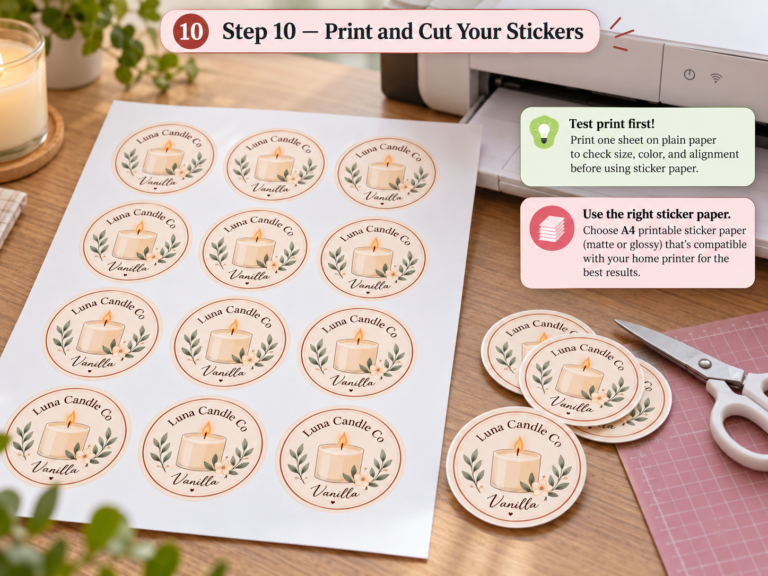
Sheet labels are the most flexible starting point for many small businesses. You can buy circles, rectangles, arches, squares, and other pre-cut shapes in Letter or A4 formats, then print several labels at once. This works well for candles, soap, bakery packaging, jars, boxes, thank-you seals, and seasonal products.
Compact color rolls
A compact roll printer prints one label at a time. This can be useful when product names, scents, flavors, or batches change frequently and you do not want to fill an entire sheet.
Dedicated color roll production
When label printing becomes a production bottleneck, a dedicated roll-label printer can make more sense. These systems cost more, but they are designed around repeatable roll media, faster throughput, and business-focused workflows.
1. Epson EcoTank ET-2980 — Best Overall Starter
The Epson EcoTank ET-2980 is a refillable-tank color inkjet with print, copy, scan, Wi-Fi, AirPrint, USB, and a 100-sheet input tray. For a small product business, the main advantage is flexibility: you can print compatible product-label sheets, packaging inserts, care cards, and ordinary documents from one machine.
Why it fits product labels: It uses standard sheets rather than proprietary label rolls, so you can choose different compatible label shapes and finishes. The refillable-tank design also makes it better suited to repeated color printing than a small-cartridge printer for many home-business workflows.
Watch for: Not every adhesive sheet will feed equally well. Thick, curled, glossy, or heavily coated stocks need testing. Always use media explicitly marked for inkjet printing.
Best suited to: New and growing product businesses that want one versatile printer for several label sizes and packaging materials.
2. Canon PIXMA G3270 — Best Sheet-Label Alternative
The Canon PIXMA G3270 is a wireless MegaTank all-in-one printer. Canon specifically lists label printing among its supported print features, along with borderless printing, photo printing, business cards, and mobile-device printing. Its refillable ink system and rear paper tray make it a practical alternative for small businesses printing product-label sheets.
Why it fits product labels: Canon documents label printing as a supported use, which is useful when your workflow depends on pre-cut printable sheets. It also handles everyday business printing, so it can serve as a general studio printer.
Watch for: Third-party label stock still needs testing for feeding, drying, alignment, and adhesive performance. A printer supporting label printing does not mean every label material is compatible.
Best suited to: Small businesses that prefer Canon and want a straightforward refillable-ink sheet-label setup.
3. Epson EcoTank Photo ET-8550 — Best for Premium Graphics
The Epson EcoTank Photo ET-8550 is a six-color, wide-format photo-oriented printer with borderless printing up to 13 × 19 inches. It is more capable than most businesses need for simple labels, but it makes sense for brands built around detailed illustrations, photography, gradients, premium inserts, or coordinated printed packaging pieces.
Why it fits product labels: Its six-color ink system and wider media support give design-led brands more room for detailed artwork and larger sheet layouts.
Watch for: Higher capability does not automatically mean better business value. If your labels are mostly text, a logo, and one or two colors, the extra photo-oriented features may not improve the finished package enough to justify the added cost.
Best suited to: Premium, visually led product brands that also print inserts, art cards, packaging sleeves, or larger branded pieces.
4. Brother VC-500W — Best Compact Color Roll Option
The Brother VC-500W uses ZINK Zero Ink technology, so it does not use conventional ink cartridges, ribbons, or toner. Brother offers multiple roll widths and wireless printing from computers and mobile devices.
Why it fits product labels: It is compact and convenient for printing one changing label at a time. That can be useful for seasonal products, scent names, batch labels, small gift packaging, or short runs where filling an entire sheet would create waste.
Watch for: You are tied to the compatible ZINK roll system. Check available widths, surface finish, adhesive performance, resistance properties, and cost per finished label before choosing it.
Best suited to: Small workspaces and low-volume businesses that value on-demand color labels over media variety.
5. Primera LX600 — Best Dedicated Color Label Printer
The Primera LX600 is a dedicated roll-fed color label printer. Primera specifies print widths up to 5 inches, speeds up to 4.5 inches per second, resolution up to 1200 × 4800 dpi, and production of up to 3,000 labels per day.
Why it fits product labels: It is built around roll labels rather than general office printing. That can make the workflow more repeatable when you are printing product labels every day and sheet loading, trimming, or setup is slowing fulfillment.
Watch for: A dedicated printer should be justified by real volume. Calculate label media, ink, maintenance, setup time, rejected prints, and application labor—not only the purchase price.
Best suited to: Established small businesses producing enough labels to justify a dedicated roll-label workflow.
How to Choose a Product Label Printer for Your Small Business
1. Start with the label material
Choose the face stock first: matte paper, glossy paper, clear film, synthetic material, or another specialty stock. Then confirm whether it is designed for inkjet, laser, ZINK, or a specific roll printer. The wrong printer-and-media combination can cause smearing, poor adhesion, curling, or feed problems.
If you are using printable adhesive sheets, see our guide to the best printable sticker paper for small business.
2. Separate product labels from shipping labels
A decorative product label and a 4×6 shipping label have very different requirements. Product labels may need color, small typography, logos, ingredients, scent names, or illustrations. Shipping labels prioritize fast monochrome printing and barcode readability. If your main goal is postage, use our guide to the best thermal printers for small business instead.
3. Match the printer to your normal batch size
Sheet-fed inkjet printing is flexible when you print several labels of the same size at once. Compact roll printing is convenient when every product changes. Dedicated roll printing becomes more attractive when label production happens frequently enough that setup time affects fulfillment.
4. Check durability requirements
Do not assume that printing on a waterproof-looking material creates a waterproof label. Durability depends on the face stock, coating, ink, adhesive, optional laminate, and the conditions the label will face. Test finished labels against moisture, oils, refrigeration, rubbing, and normal handling when those conditions apply to your product.
5. Test actual-size typography and barcodes
A design that looks readable at 200% zoom may fail at real label size. Print ingredients, warning text, net weight, contact details, batch information, and barcodes at actual size before approving the design.
6. Calculate cost per usable label
Include ink or roll media, wasted sheets, cleaning cycles, misalignment, cutting, lamination, application time, and rejected labels. A cheaper printer can become expensive if the workflow wastes materials or labor.
Which Printer Fits Your Business Type?
Candle business: Start with our dedicated best printer for candle labels guide, which focuses on jar, tin, and candle-packaging requirements.
Soap business: See our best printers for soap labels comparison for wrap labels, boxes, and moisture-conscious workflows.
Sticker-heavy packaging: If you mainly print logo stickers, thank-you seals, and branded decals, compare our best printers for stickers.
General label-making: For monochrome, portable, shipping, and product-label devices in one broader comparison, see our best label makers for small business.
Color Product Label Printer vs. Shipping Label Printer
A product label printer and a shipping label printer solve different jobs. For full-color branding on jars, bottles, boxes, pouches, and retail products, use a color inkjet or color roll-label workflow with media rated for that printer. For black-and-white 4 × 6 carrier labels, a direct thermal shipping printer is usually faster and cheaper to run.
If you mainly need parcel labels, compare the best thermal printers for small business. If you are printing branded labels at home, pair your printer with the right printable sticker paper and follow our product label printing guide.
Frequently Asked Questions
What is the best product label printer for a small business?
For many small businesses using full-color printable label sheets, the Epson EcoTank ET-2980 is a practical starting point. The Canon PIXMA G3270 is a strong alternative with manufacturer-documented label-printing support. Businesses that need higher-volume dedicated roll printing should evaluate a purpose-built model such as the Primera LX600.
Can I print product labels with a regular inkjet printer?
Yes, if the label stock is specifically designed for inkjet printers and your printer can feed the material reliably. Always test one sheet first and follow the label supplier’s printer and drying instructions.
Is an inkjet or thermal printer better for product labels?
For full-color branded labels, an inkjet or dedicated color label printer is usually more suitable. Direct-thermal printers are excellent for monochrome shipping, barcode, and inventory labels but generally do not produce full-color branding.
Can I print product labels from Canva?
Yes. Build the design at the exact label dimensions, export at high quality, and print at 100% or actual size when the template requires it. Our Canva for Packaging Design guide explains where Canva fits in a small-business packaging workflow.
When should I outsource product labels?
Outsourcing may be better when you need metallic foils, specialty varnishes, custom die-cut shapes, verified chemical or moisture resistance, exact color control, or volumes where in-house printing becomes slower or more expensive than ordering finished labels.
Final Verdict
For most new small businesses, start with the simplest workflow that matches the label material you actually use. The Epson EcoTank ET-2980 is a flexible starter for compatible full-color sheets, while the Canon PIXMA G3270 is a strong alternative with documented label-printing support. Choose the Epson ET-8550 when premium graphics and wider media matter, the Brother VC-500W when compact one-at-a-time color rolls fit your workflow, and the Primera LX600 when label production has grown enough to justify a dedicated roll printer.
Before buying any printer, order a small amount of compatible label stock and test the complete label on the real container or package. The best product label printer is the one that produces a readable, brand-appropriate, durable label within your actual daily workflow.