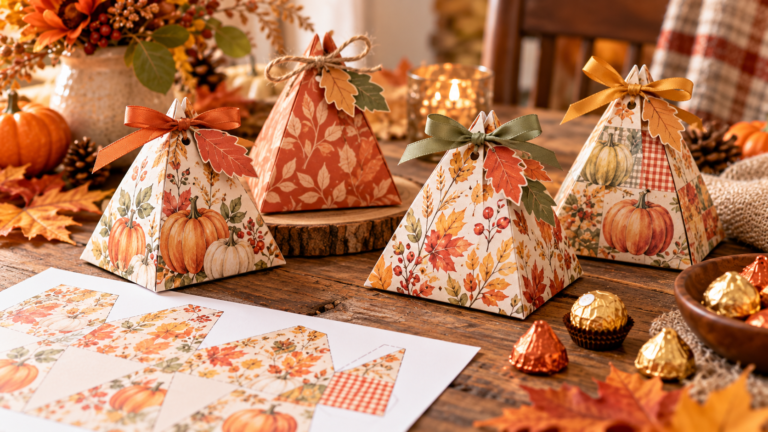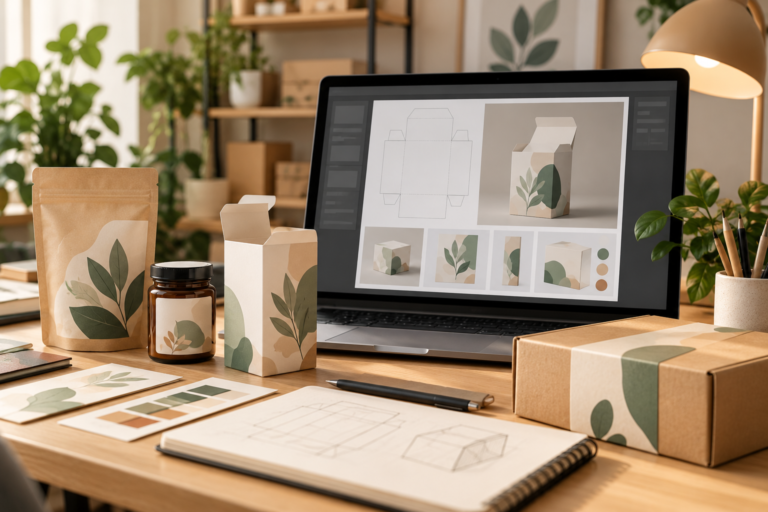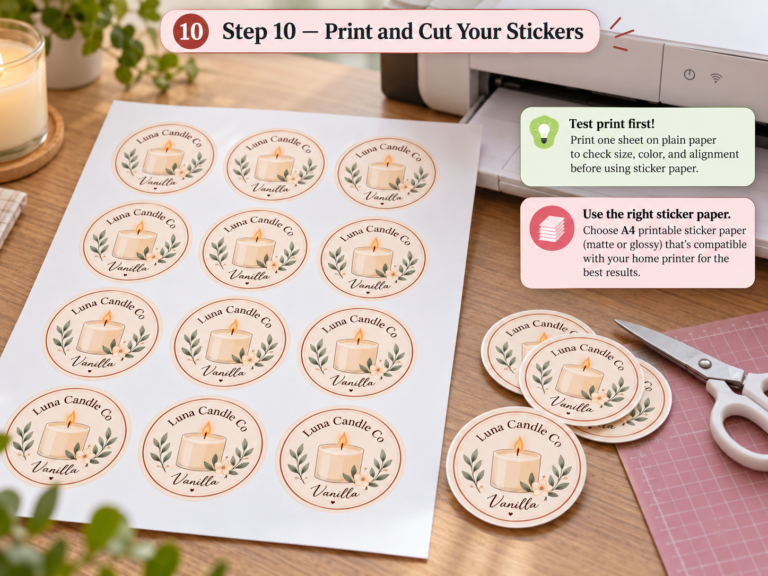

The best packaging software depends on what you need to create. Adobe Illustrator is the best choice for professional packaging design and print-ready artwork, Pacdora is best for packaging dielines and realistic 3D mockups, while Canva is the easiest option for labels, inserts, and simple packaging graphics.
For small businesses, these three tools cover very different parts of the packaging workflow. If you need low-cost packaging design software, Canva and Pacdora can reduce the barrier to getting started, while Adobe Illustrator offers deeper control for professional print production. For a closer look at Pacdora’s free-plan limitations and commercial-use considerations, read our detailed Pacdora review. In this guide, I compare Pacdora, Adobe Illustrator, and Canva based on packaging design, dielines, 3D mockups, ease of use, cost, and print production—so you can choose the right software for your business.
This guide compares packaging software and DIY design tools for small businesses—not professional packaging design services or agencies. The focus is on software you can use yourself to create, edit, preview, or prepare packaging artwork.
Quick Picks: Which Packaging Software Is Best?
| Need | Best Choice |
|---|---|
| Best Overall Packaging Software | Pacdora |
| Professional Packaging Design | Adobe Illustrator |
| Packaging Dielines | Pacdora |
| 3D Packaging Mockups | Pacdora |
| Labels & Packaging Inserts | Canva |
| Best for Beginners | Canva |
| Print-Ready Artwork | Adobe Illustrator |
| Fastest Packaging Workflow | Pacdora |
Our top pick: Pacdora is the best overall packaging software for most small businesses because it combines customizable dielines, 3D packaging mockups, and packaging-specific design tools in one browser-based platform. Adobe Illustrator remains the stronger choice for advanced professional artwork and print production, while Canva is the easiest option for simple labels, inserts, and branded packaging graphics.
Why Packaging Software Matters for Small Businesses
Choosing the right packaging design software can make a major difference in how efficiently a small business develops product packaging. Instead of switching between separate tools for artwork, dielines, mockups, and print preparation, the right software can simplify much of the workflow.
Good product packaging software can help small businesses:
- Create packaging designs and branded artwork
- Build or customize packaging dielines
- Preview packaging with realistic 3D mockups
- Catch design and layout problems before printing
- Prepare artwork for professional production
- Test packaging concepts before investing in manufacturing
For small businesses producing candles, soap, cosmetics, food products, jewelry, or other physical goods, these tools can reduce costly revisions and make professional packaging more accessible without requiring a large in-house design team.
What to Look for in Packaging Design Software
The best packaging design software should do more than simply create graphics. For physical product packaging, look for tools that support the specific stages of your packaging workflow.
Key features to consider include:
- Dieline support: Create or customize accurate packaging structures.
- 3D mockups: Preview how the finished package will look before printing.
- Artwork tools: Add logos, typography, colors, patterns, and product information.
- Print-ready export: Export files in formats your printer or packaging manufacturer can use.
- Ease of use: Choose software that matches your design experience.
- Templates: Ready-made packaging templates can significantly reduce setup time.
- Cost: Small businesses should consider whether advanced features justify a paid subscription.
No single platform is best at everything. Adobe Illustrator offers the most control for professional artwork, Pacdora specializes in packaging structures and 3D visualization, while Canva makes simple branded graphics accessible to beginners.
1. Adobe Illustrator
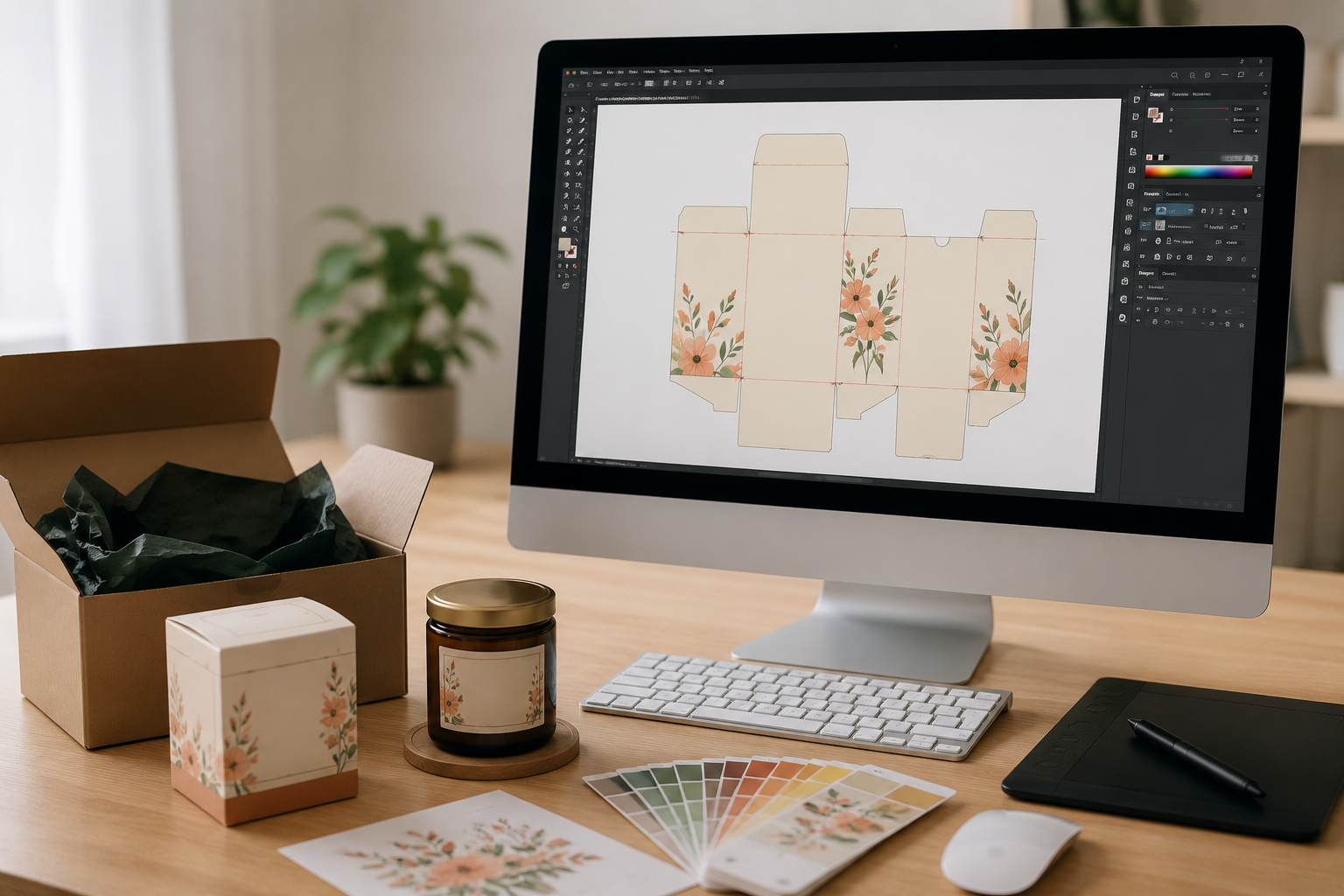
Adobe Illustrator — Best for Professional Packaging Design
Adobe Illustrator is the best packaging design software for businesses and designers who need precise control over artwork, dielines, typography, and print-ready files. Its vector-based workflow makes it especially suitable for professional product packaging that will be sent to commercial printers or packaging manufacturers.
Unlike simpler packaging software, Illustrator gives you detailed control over dimensions, bleed, safe areas, CMYK colors, layers, and vector graphics. The trade-off is a steeper learning curve, so it is better suited to users who need professional production capabilities rather than quick 3D mockups.
Key Features
- Professional vector graphics
- Custom dieline creation
- CMYK color management
- Print-ready PDF export
- Advanced typography controls
- Packaging layout development
Pros
✅ Industry-standard professional design software
✅ Unlimited design flexibility
✅ Excellent print accuracy
✅ Accepted by virtually all commercial printers
✅ Ideal for professional packaging templates
Cons
❌ Monthly subscription required
❌ Steeper learning curve
❌ Can feel overwhelming for beginners
❌ Requires more time to master
Best For
- Packaging designers
- Product-based businesses
- Professional print production
- Custom packaging projects
Bottom Line
Bottom line: Choose Adobe Illustrator if print accuracy, custom artwork, and complete creative control are your priorities. It is the strongest option in this comparison for advanced packaging artwork and professional print production, but it requires more design experience than Pacdora or Canva.
Adobe Illustrator for Packaging Design: The Complete Guide for Small Businesses in 2026
2. Pacdora
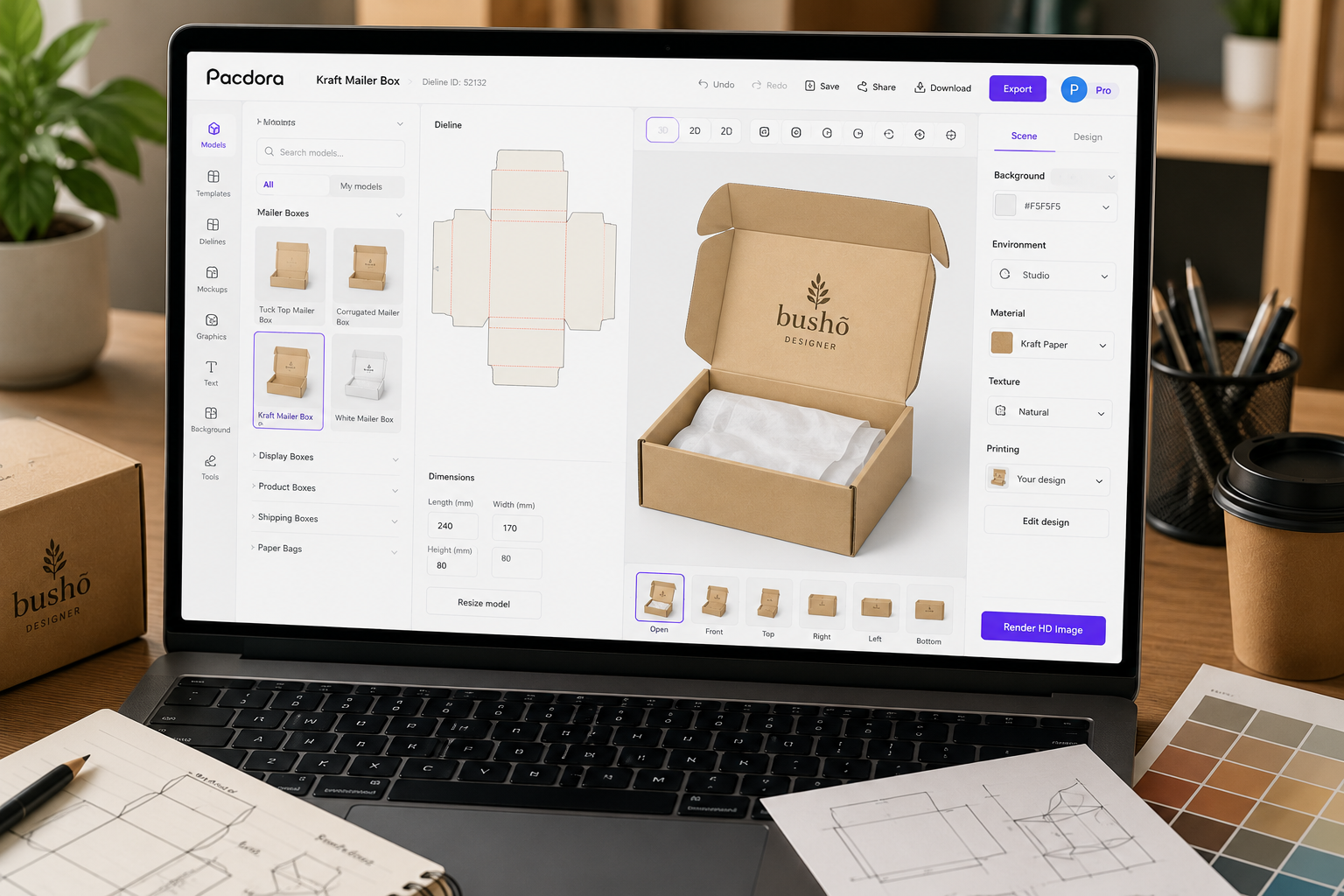
Best Packaging Software for Dielines & 3D Mockups
Pacdora has quickly become one of the most useful packaging software platforms for small businesses.
Unlike general graphic design tools, Pacdora focuses specifically on packaging structures, packaging templates, mockups, and dieline generation.
This makes Pacdora especially useful for candle brands, soap businesses, cosmetics, food products, Etsy sellers, and other product-based businesses that want to visualize packaging before ordering prototypes or starting production.
Key Features
- Ready-made packaging templates
- Automated dieline generation
- Real-time 3D packaging mockups
- Interactive packaging previews
- Production-ready exports
Why Small Businesses Love Pacdora
Small businesses often cannot afford multiple physical prototypes every time they test a new packaging concept. Pacdora helps reduce that friction by letting you adjust dimensions, apply artwork, and preview packaging in 3D before moving to physical sampling or production.
Pros
✅ Beginner-friendly interface
✅ Thousands of packaging structures
✅ Fast mockup generation
✅ Real-time 3D visualization
✅ Reduces packaging development costs
✅ Excellent for prototype packaging
Cons
❌ Limited illustration tools
❌ Not a complete replacement for Illustrator
❌ Complex artwork still requires external design software
Best For
- Small product-based businesses
- Packaging dielines
- 3D packaging mockups
- Product launches
- Packaging prototypes
- Testing packaging concepts before production
Bottom Line
Pacdora is our best overall packaging software for most small product-based businesses because it combines customizable dielines, packaging templates, and realistic 3D mockups in an accessible browser-based platform. Choose it when you want to move quickly from a packaging idea to a visual prototype without the learning curve of professional vector software.
Read our full Pacdora Review 2026 →
3. Canva Pro
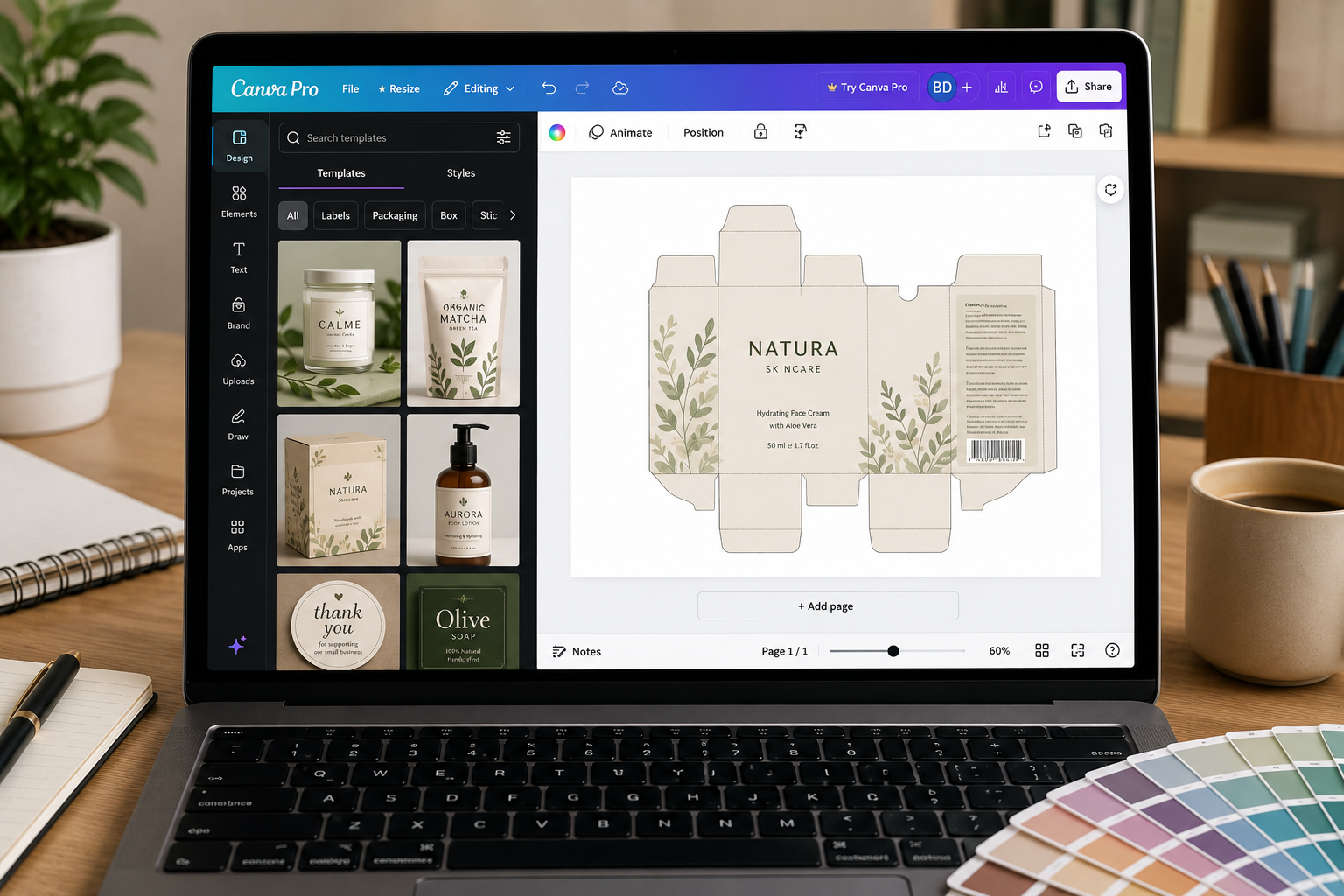
Best Packaging Design Software for Beginners
Canva is the best packaging design software for beginners who need to create labels, inserts, stickers, and simple packaging artwork without learning professional design software. Its drag-and-drop editor, large template library, and Brand Kit make it especially practical for small product-based businesses that manage their own branding.
Canva works particularly well for candle brands, soap businesses, bakeries, jewelry sellers, Etsy shops, and other small businesses that need attractive packaging graphics quickly. However, it is better suited to packaging artwork and labels than structural packaging design or professional dieline creation.
Key Features
- Drag-and-drop editor
- Thousands of templates
- Brand Kit tools
- Product label design
- Packaging insert design
- Background remover
- Easy PDF export
Pros
✅ Extremely easy to use
✅ No design experience required
✅ Affordable pricing
✅ Large template library
✅ Fast content creation
Cons
- ❌ No professional dieline creation
- ❌ Limited print-production controls
- ❌ Limited precision compared with Illustrator
- ❌ Not designed for structural packaging
- ❌ 3D packaging tools are not its core strength
Best For
- Beginners
- Product labels
- Packaging inserts
- Thank-you cards
- Stickers
- Simple packaging artwork
- Small handmade brands
Bottom Line
Bottom line: Choose Canva if your main goal is creating attractive labels, inserts, stickers, and simple packaging graphics quickly. It is the easiest option in this comparison for beginners, but it should not replace Adobe Illustrator when precise print-production files are required or Pacdora when you need customizable dielines and realistic 3D packaging mockups.
Canva for Packaging Design: Complete Guide for Small Businesses in 2026
Packaging Software Comparison Table
| Feature | Adobe Illustrator | Pacdora | Canva Pro |
|---|---|---|---|
| Best For | Professional packaging design | Dielines & 3D mockups | Beginners & simple graphics |
| Dieline Creation | Excellent | Excellent | Limited |
| 3D Packaging Mockups | Limited* | Excellent | Limited |
| Print-Ready Files | Excellent | Good | Basic |
| Vector Editing | Excellent | Limited | Basic |
| Packaging Templates | Limited | Excellent | Good |
| Ease of Use | Advanced | Easy | Very Easy |
| Labels & Inserts | Excellent | Good | Excellent |
| Best for Beginners | No | Yes | Yes |
| Browser-Based | No | Yes | Yes |
Adobe Illustrator can create packaging artwork and dielines, but realistic 3D packaging visualization typically requires an additional workflow or tool.
Which Packaging Software Is Best for Small Businesses?
For most small businesses, Pacdora is the best overall packaging software when you need dielines and realistic 3D mockups. Adobe Illustrator is the better choice for professional print-ready packaging artwork, while Canva is the easiest option for beginners creating labels, inserts, and simple packaging graphics.
My Recommended Packaging Design Workflow
As a packaging and print designer, I use different software depending on the stage of the project.
For structural packaging design and print-ready artwork, Adobe Illustrator remains my preferred tool because it offers complete control over dimensions, dielines, color management, and production files.
For packaging mockups and packaging visualization, Pacdora significantly speeds up the workflow by providing ready-made structures and realistic 3D previews.
For thank-you cards, labels, packaging inserts, and marketing assets, Canva Pro offers the fastest and easiest solution.
Together, these three tools create a complete packaging design workflow for small businesses without requiring expensive enterprise software.
Sustainable Packaging Design Considerations
Packaging software can also help small businesses reduce unnecessary prototypes and material waste by testing dimensions, layouts, and packaging concepts digitally before production.
Pacdora is particularly useful for visualizing packaging concepts in 3D, while Adobe Illustrator provides the precision needed to optimize dielines and print-ready artwork. Neither tool determines whether packaging is sustainable—the final result still depends on material choice, packaging size, manufacturing, and disposal.
Related Reading: Eco-Friendly Packaging Solutions for Small Businesses
Packaging Design Software vs Packaging Management Software
Packaging design software and packaging management software solve different problems. Tools such as Adobe Illustrator, Pacdora, and Canva help create artwork, dielines, labels, and mockups. Packaging management platforms focus more on artwork approval, version control, SKU coordination, review workflows, and keeping packaging files organized across teams.
For most small businesses, design and mockup tools are usually enough. Packaging management software becomes more relevant when you have many SKUs, multiple reviewers, frequent label changes, or a team that needs controlled approvals and file versions.
Which Packaging Software Should You Choose?
Choose Adobe Illustrator If:
- You need precise vector control for custom packaging artwork and graphic design.
- You need print-production files with exact dimensions, bleeds, and color setup.
- You work with commercial printers or need to edit custom dielines.
- You want maximum control over artwork and production files.
Choose Pacdora If:
- You need structural packaging templates or customizable dielines.
- You want realistic 3D mockups to review packaging before production.
- You want to test package structure and dimensions without building every dieline from scratch.
- You prefer a packaging-specific workflow over an open-ended graphic design tool.
Choose Canva Pro If:
- You mainly create simple packaging artwork, product labels, inserts, or thank-you cards.
- You want an easy graphic design workflow for branded visuals.
- You do not need structural dielines, advanced 3D mockups, or precise print-production controls.
- Speed and ease of use matter more than production-level control.
For most small product-based businesses, choose based on the task: use Canva for simple artwork and branded graphics, Pacdora for structural packaging, customizable dielines, and 3D mockups, and Adobe Illustrator when you need precise artwork control and a print-production workflow for commercial printers. Pacdora is often the most direct starting point when both structure and visualization matter.
Print Design & Printing Explained: Clear Answers to the Most Common Print Questions
What Is the Best Packaging Design Software for a Small Business?
For most small product-based businesses, the best packaging design software depends on the job. Pacdora is strong for fast dielines and 3D packaging mockups, Adobe Illustrator is the better fit for precise vector artwork and print-ready files, and Canva is the easiest option for simple branded graphics and teams that do not need advanced prepress control.
If you need a dedicated packaging prototyping workflow, start with Pacdora. If your printer supplies a dieline and expects production-ready artwork, Illustrator offers more control. If you mainly create simple labels, inserts, or branded packaging graphics, Canva is usually the easiest entry point.
Using Pacdora but want another workflow? See our Pacdora alternatives comparison for Packly, Canva, Illustrator, Esko, and Boxshot.
Frequently Asked Questions
What is the best packaging software for small business owners?
Pacdora is the best overall packaging software for many small businesses that need customizable dielines and realistic 3D packaging mockups. Adobe Illustrator is better for professional print-ready artwork and precise vector editing, while Canva is the easiest option for labels, inserts, and simple packaging graphics.
Is Pacdora better than Adobe Illustrator?
Not necessarily. Pacdora is better for quickly creating packaging dielines and realistic 3D mockups, while Adobe Illustrator provides much greater control over vector artwork, typography, dimensions, color management, and professional print production. Many packaging workflows can benefit from using both.
Can Canva be used for packaging design?
Yes. Canva can be used to create product labels, stickers, packaging inserts, thank-you cards, and simple packaging artwork. However, it is not a replacement for professional packaging software when you need precise dielines, advanced vector editing, or production-ready packaging files.
What is the best packaging software for beginners?
Canva is the easiest packaging design software for beginners who mainly need labels and simple branded graphics. Pacdora is a better beginner-friendly option when the project requires packaging structures, customizable dielines, or realistic 3D mockups.
Do small businesses need packaging mockup software?
Not always, but packaging mockup software can be valuable when you want to visualize a package before production. A realistic digital mockup can help evaluate proportions, artwork placement, and overall presentation before investing in physical prototypes.
What is the best free packaging design software?
Canva offers a free plan that can work well for basic labels and packaging graphics, while Pacdora also provides free access to selected packaging design and mockup features. For professional print production and advanced vector editing, paid software such as Adobe Illustrator may be more appropriate.
Graphic Design Basics Every Small Business Should Know
Final Verdict
The best packaging software for your small business depends on what you actually need to create.
For most small product-based businesses that need packaging dielines and realistic 3D mockups, Pacdora is our best overall choice because it combines packaging-specific tools with a relatively accessible workflow.
Choose Adobe Illustrator if your priority is professional packaging artwork, precise vector editing, custom dielines, and print-ready production files. It offers the greatest level of control, but it also has the steepest learning curve.
Choose Canva if you primarily need product labels, packaging inserts, stickers, thank-you cards, and simple branded graphics. It is the easiest option for beginners, but it is not designed to replace professional packaging production software.
Our recommendation: Start with the tool that matches your current packaging needs rather than paying for multiple platforms. As your business grows, you can add another tool when your workflow requires more advanced design, dieline, or 3D visualization capabilities.
Still deciding? Read our full Pacdora Review 2026, Adobe Illustrator for Packaging Design guide, and Canva for Packaging Design guide for a deeper look at each platform.