
Affiliate disclosure: This post contains affiliate links. If you purchase through them, I may earn a commission at no extra cost to you. As an Amazon Associate I earn from qualifying purchases.
The best thermal printer for small business in 2026 depends on what you print most. For shipping labels, the Rollo Wireless offers the best overall balance of speed and ease of use. For budget-conscious businesses, MUNBYN is a strong value option, while Brother is better suited to product labels and smaller label formats.
If you’re still printing shipping labels with an inkjet printer, you’re probably spending more money and time than necessary.
For many small businesses, thermal printers have become one of the smartest upgrades for daily operations. Unlike traditional printers, thermal printers don’t require ink cartridges or toner. They print quickly, produce clean labels, and can significantly reduce operating costs over time.
Whether you run an Etsy shop, an online boutique, a handmade product business, or a growing eCommerce brand, choosing the right thermal printer can streamline your shipping process and improve your packaging workflow.
In this guide, we’ll compare the best thermal printers for small businesses in 2026, explain the differences between thermal printing technologies, and help you choose the right model based on your business needs.
Best Thermal Printers for Small Business: Quick Picks
If you want the best thermal printer for your small business without comparing every specification, these are my top picks for shipping labels, product labels, high-volume orders, and budget-friendly printing.
| Category | Recommended Printer | Best For |
|---|---|---|
| Best Overall | Rollo Wireless X1040 | Small businesses that need reliable shipping labels and wireless printing |
| Best Budget Pick | MUNBYN RW402B | Startups and small businesses looking for affordability |
| Best for High-Volume Shipping | Zebra ZD421 | Growing businesses that need reliable, frequent label printing |
| Best for Product Labels | Brother QL-1100C | Best for Product & Barcode Labels |
| Best for Beginners | JADENS 168BT | New Etsy sellers and home-based businesses |
Our Top Pick: The Rollo Wireless X1040 offers the best balance of speed, reliability, connectivity, and long-term value for most small businesses.
Best Value for Money: The MUNBYN RW402B provides excellent performance at a budget-friendly price, making it a strong choice for growing businesses.
Best for Product Labels: The Brother QL-1100 is the better choice for businesses that need flexible label sizes for product packaging, barcodes, and retail labeling.
What Is a Thermal Printer?
A thermal printer creates images and text using heat rather than ink.
This technology makes thermal printers faster, cleaner, and less expensive to operate than many traditional printers.
There are two main types of thermal printers:
Direct Thermal Printers
Direct thermal printers use specially coated labels that react to heat.
Advantages:
- No ink required
- Lower operating costs
- Simple maintenance
- Ideal for shipping labels
Disadvantages:
- Labels may fade over time
- Less suitable for long-term product identification
For most small eCommerce businesses, direct thermal printers are the most practical option.
Thermal Transfer Printers
Thermal transfer printers use a ribbon that transfers ink onto the label surface.
Advantages:
- Longer-lasting labels
- Better resistance to heat and sunlight
- Suitable for product labels and inventory systems
Disadvantages:
- Higher operating costs
- Ribbon replacements required
Businesses that need durable product labels often choose thermal transfer models.
How We Selected the Best Thermal Printers
To create this list, we focused on the factors that matter most to small business owners:
- Print quality
- Print speed
- Setup simplicity
- Label compatibility
- Connectivity options
- Long-term operating costs
- Reliability
- Customer feedback
- Value for money
Eco-Friendly Home Printing: The Ultimate Guide to Sustainable Packaging & Design
Comparison Table
| Printer | Connectivity | Max Label Width | Best For | Best Feature |
|---|---|---|---|---|
| Rollo Wireless X1040 | Wi-Fi, USB | 4 inches | Overall Best | Fast, wireless shipping |
| MUNBYN RW402B | USB, Bluetooth | 4 inches | Budget Choice | Affordable everyday printing |
| Zebra ZD421 | USB, Ethernet* | 4 inches | High-Volume Shipping | Reliable high-volume use |
| Brother QL-1100C | USB | 4 inches | Product & Barcode Labels | Wide-format label printing |
| JADENS 168BT | Bluetooth, USB | 4.1 inches | Beginners | Simple setup |
1. Rollo Wireless X1040
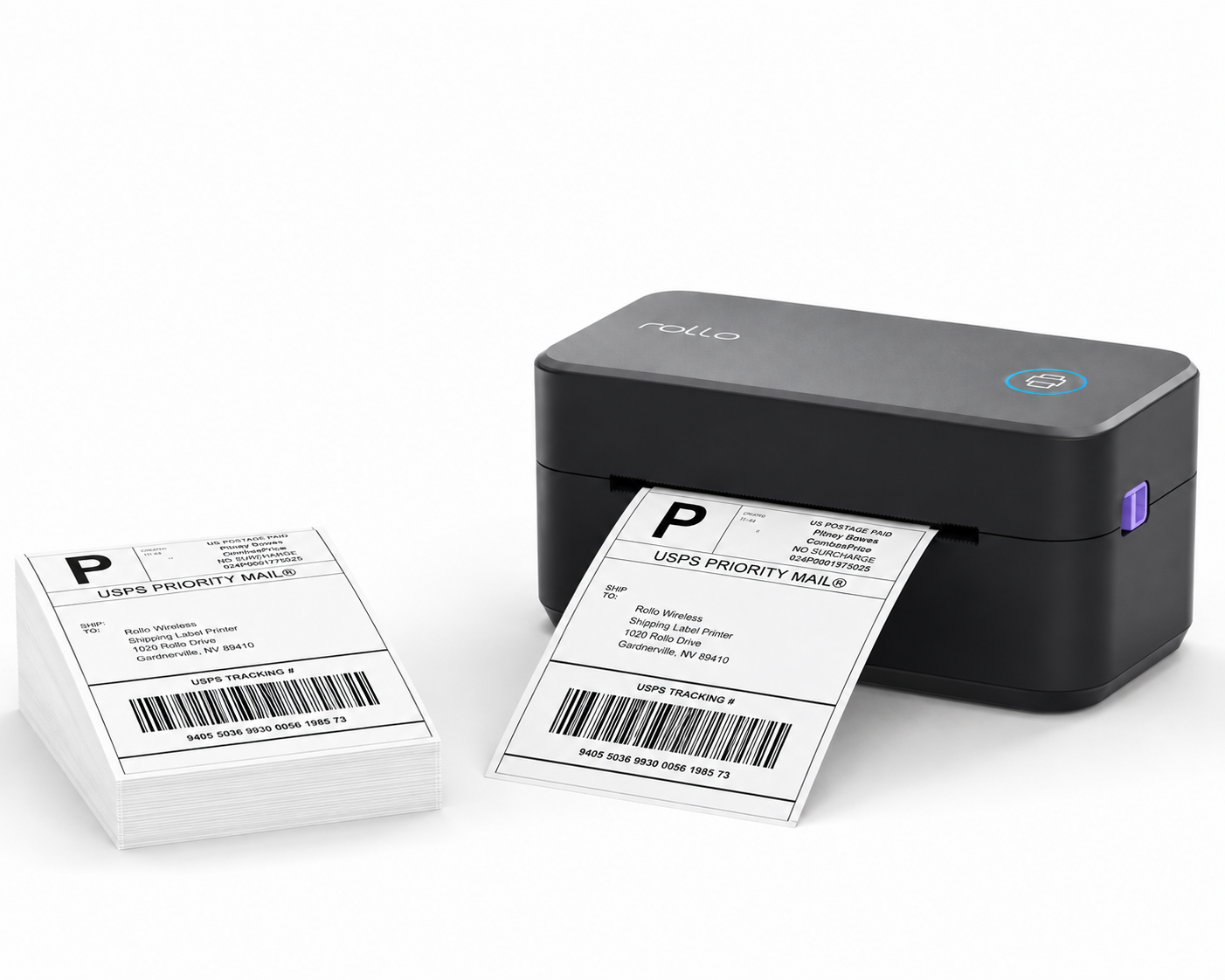
Best Overall Thermal Printer for Small Business
The Rollo Wireless X1040 is my top overall pick for small businesses that regularly print 4×6 shipping labels. Its wireless connectivity, broad platform compatibility, and straightforward setup make it especially practical for Etsy sellers, Shopify stores, and growing product-based businesses that want a reliable shipping-label workflow without constantly dealing with ink or toner.
Pros
- Wireless printing over Wi-Fi
- Works with standard 4×6 shipping labels
- Compatible with major shipping and eCommerce platforms
- No ink or toner required
- Fast enough for growing order volumes
- Simple setup for small-business workflows
Cons
- Higher upfront cost than many budget thermal printers
- Primarily designed for shipping labels rather than decorative product labels
- May be more printer than very low-volume sellers need
Best For
Growing Etsy, Shopify, and eCommerce businesses that regularly ship customer orders and want a dependable wireless 4×6 label printer.
Why I Picked It:
Rollo offers the strongest overall balance of ease of use, wireless connectivity, platform compatibility, and room to grow. It isn’t the cheapest option in this comparison, but it’s the one I’d choose for a small business expecting its shipping volume to increase.
2. MUNBYN RW402B
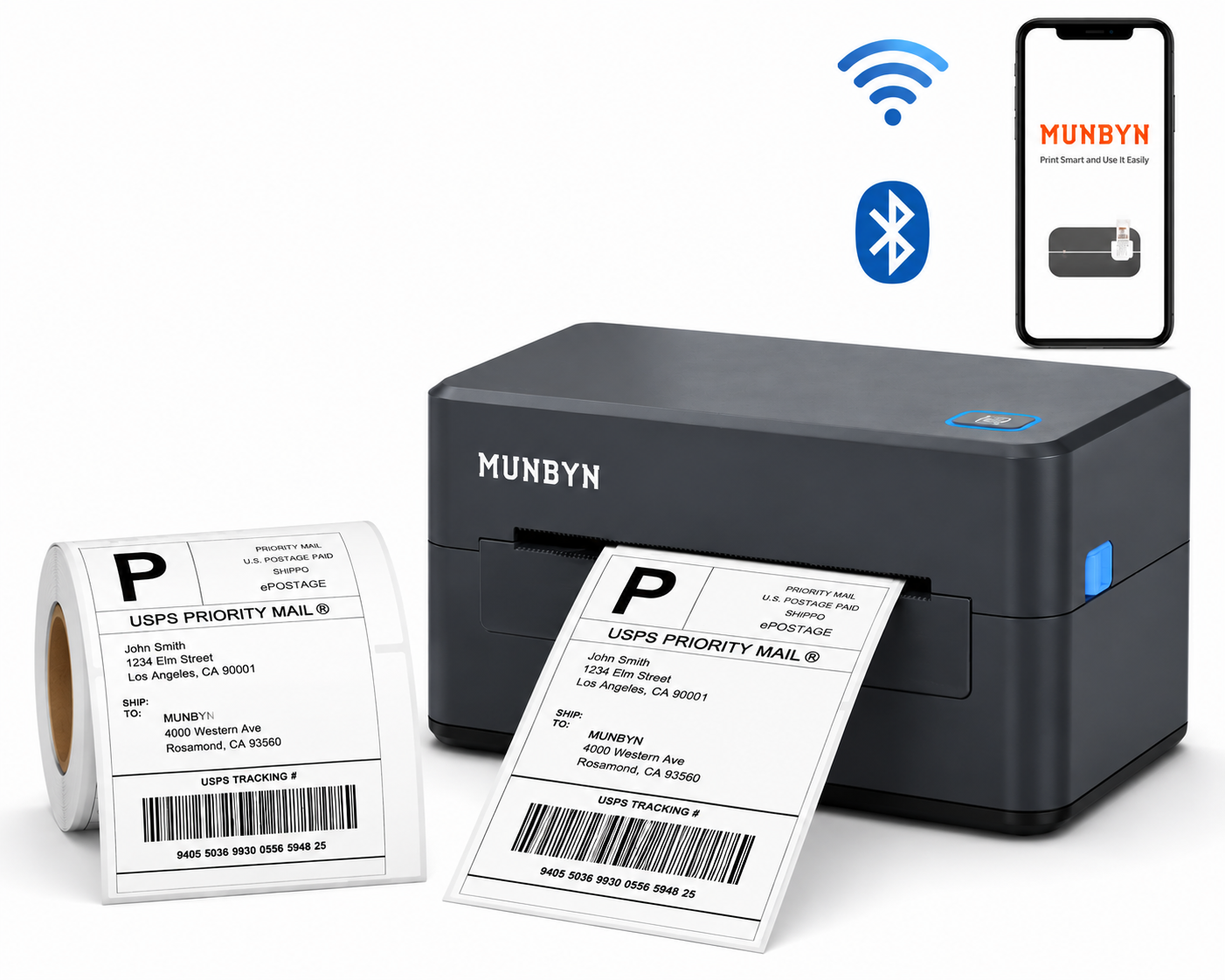
Best Budget Thermal Printer
For business owners who need affordable shipping labels without sacrificing functionality, the MUNBYN RW402B offers impressive value.
The printer supports standard 4×6 shipping labels and works with major shipping platforms.
Pros
- Affordable
- Easy setup
- Bluetooth support available on selected models
- Compact size
Cons
- Build quality feels less premium
- Mobile app experience can vary
Best For
Startups and small businesses with limited budgets.
3. Zebra ZD421
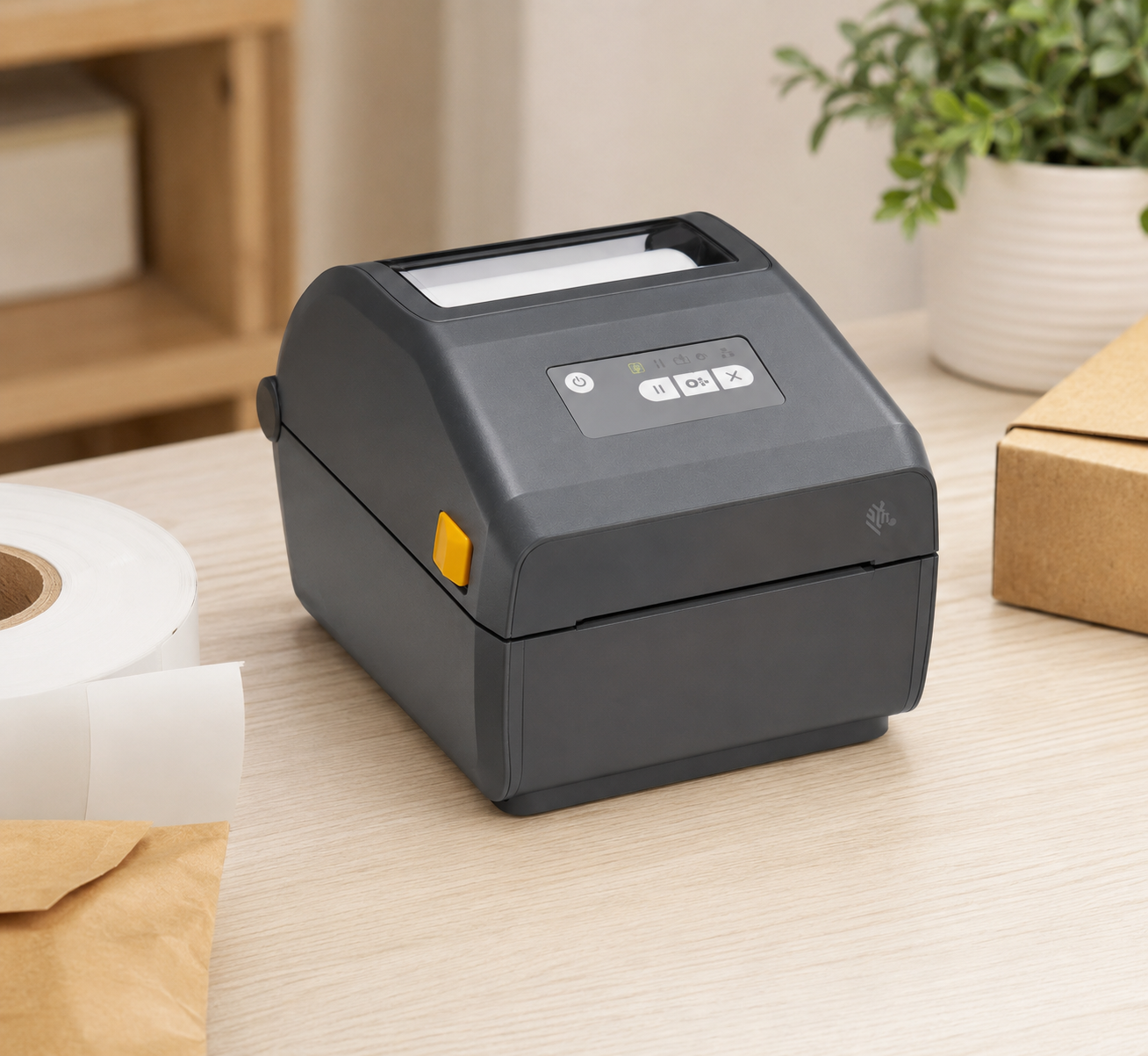
Best Thermal Printer for High-Volume Shipping
The Zebra ZD421 is a strong choice for growing small businesses that print labels frequently and need a more business-focused printer than typical entry-level shipping models. Built for dependable everyday label printing, it is especially useful for businesses handling higher order volumes, inventory labels, barcodes, and shipping workflows.
Unlike many budget thermal printers designed primarily for occasional shipping, the ZD421 is part of Zebra’s professional desktop printer line, making it better suited to businesses that prioritize reliability, print quality, and long-term use.
Pros
- Designed for frequent business use
- Reliable direct thermal printing
- Sharp barcode and shipping-label output
- Supports multiple connectivity configurations
- Suitable for shipping, inventory, and barcode workflows
- Strong choice for growing order volumes
Cons
- More expensive than entry-level thermal printers
- Some connectivity features depend on the configuration purchased
- More advanced than most very small or occasional sellers need
Best For
Growing eCommerce businesses, warehouses, and product-based businesses that print shipping, barcode, or inventory labels frequently.
Why I Picked It:
The ZD421 is the strongest high-volume option in this comparison because it is designed around dependable business label printing rather than simply offering the lowest purchase price. It makes the most sense when label printing has become a regular part of daily operations.
Bottom Line:
Choose the Zebra ZD421 if reliability and frequent label printing matter more to your business than getting the cheapest thermal printer.
4. Brother QL-1100C
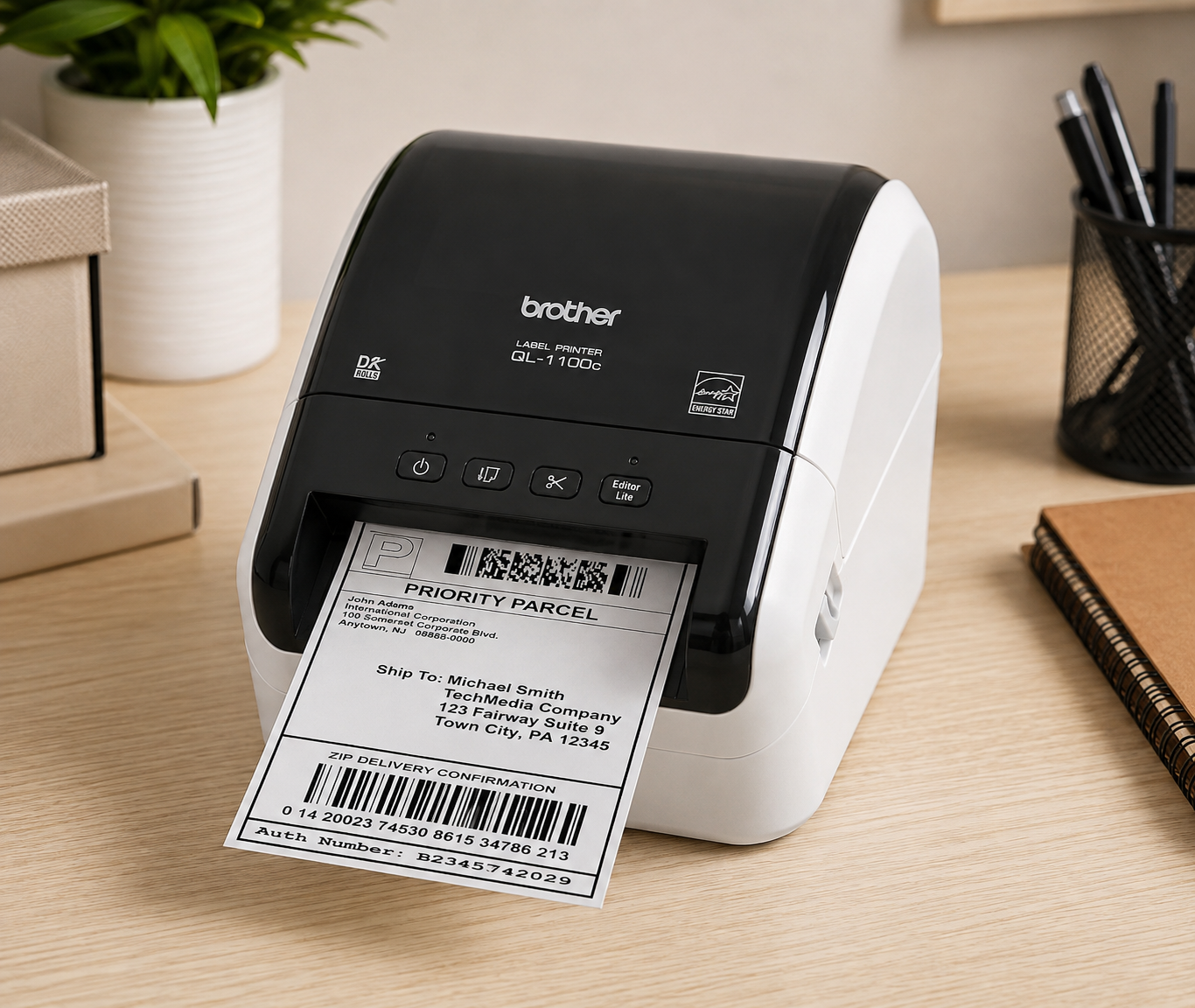
Best Thermal Printer for Product & Barcode Labels
The Brother QL-1100C is a strong choice for small businesses that need wider thermal labels for product identification, barcodes, inventory, and shipping. It can print labels up to approximately 4 inches wide, giving product-based businesses more flexibility than compact label makers designed primarily for narrow labels. If you need a broader comparison that includes portable and desktop devices for product, barcode, and packaging labels, see our best label makers for small business.
Its 300 dpi print resolution is particularly useful for producing sharp text, barcodes, addresses, and other detailed black-and-white label content. Because it uses direct thermal printing, there is no ink or toner to replace.
Pros
- 300 dpi print resolution
- Supports labels up to approximately 4 inches wide
- Excellent for barcodes and detailed text
- No ink or toner required
- Automatic cutter
- Suitable for both product and shipping workflows
Cons
- USB connectivity rather than wireless
- Not designed for full-color product labels
- Larger than compact label makers
- May be unnecessary for businesses that only print standard 4×6 shipping labels
Best For
Small product-based businesses that need wide-format product labels, barcode labels, inventory labels, address labels, or shipping labels with sharp black-and-white printing.
Why I Picked It:
The QL-1100C stands out because it combines a wider label format with 300 dpi resolution, making it more versatile for product and barcode labeling than many shipping-focused 203 dpi thermal printers.
Bottom Line:
Choose the Brother QL-1100C if your business needs crisp barcodes, product information, and flexible label sizes—not just standard shipping labels.
5. JADENS 168BT
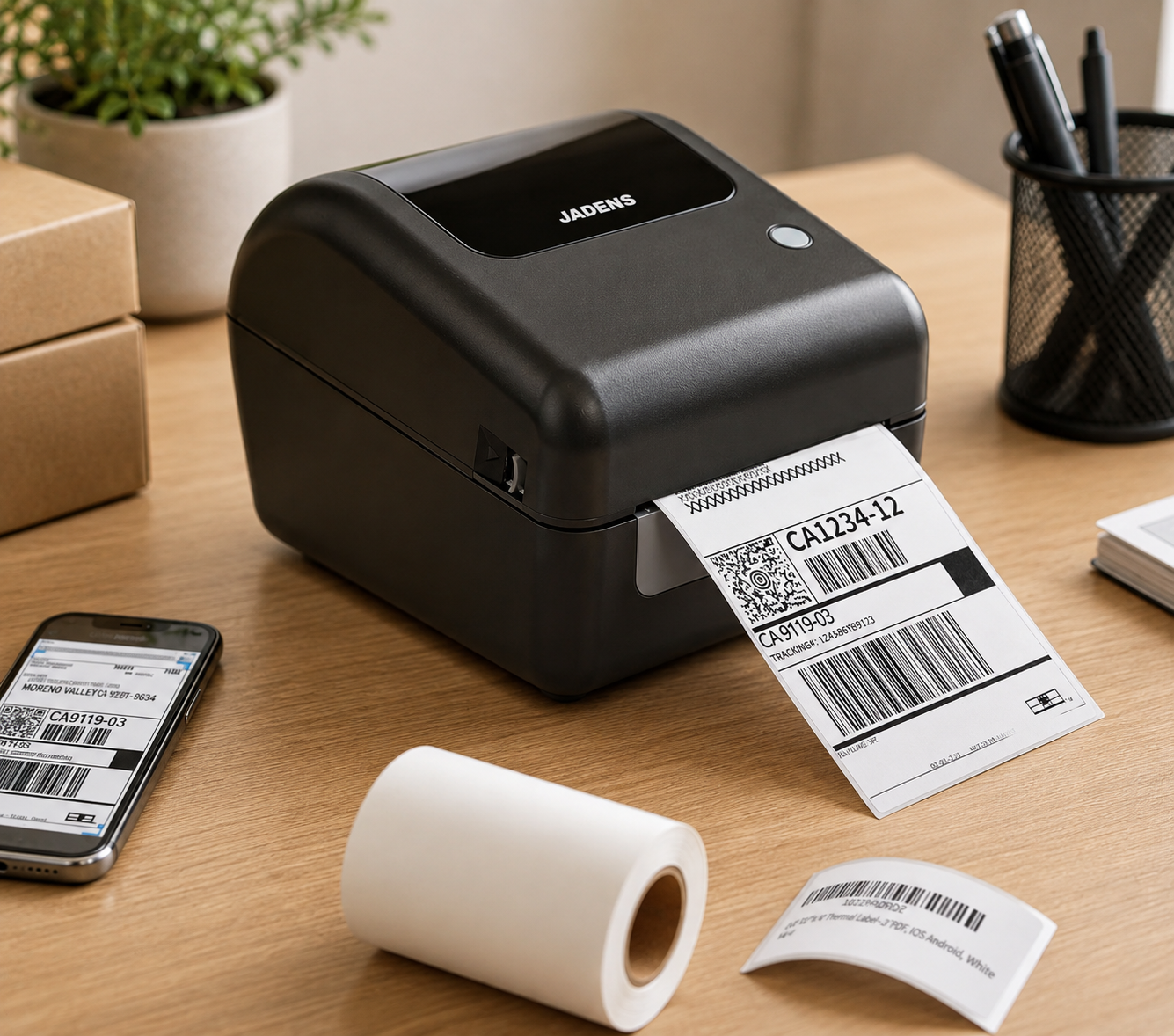
Best Beginner-Friendly Thermal Printer
The JADENS 168BT is a practical entry-level thermal printer for small business owners who want an affordable way to start printing shipping labels without buying ink or toner.
It supports direct thermal labels up to approximately 4.1 inches wide, making it suitable for standard 4×6 shipping labels as well as smaller barcode and warehouse labels. With Bluetooth and USB connectivity, the 168BT offers flexible printing options for home-based businesses, Etsy sellers, and new eCommerce stores.
Pros
- Affordable option for beginners
- Bluetooth and USB connectivity
- Supports standard 4×6 shipping labels
- 203 DPI thermal printing
- No ink or toner required
- Works with major shipping and eCommerce platforms
Cons
- Less premium than Rollo or Zebra
- Better suited to light-to-moderate shipping volumes
- Wireless compatibility can vary depending on the operating system
Best For
New Etsy sellers, home-based businesses, and small online stores looking for an affordable first thermal shipping printer.
Why I Picked It
The JADENS 168BT offers the features most beginners actually need—4×6 label support, wireless printing options, and ink-free operation—without moving into the price range of more advanced commercial printers.
Bottom Line
Choose the JADENS 168BT if you’re starting a small online business and want an affordable thermal printer that’s simple enough for everyday shipping.
explore the best Cricut Maker 3 accessories for cutting labels, stickers, and packaging materials.
Common Thermal Printer Mistakes Small Businesses Make
Many business owners purchase the wrong printer because they focus only on price.
Here are some common mistakes to avoid.
Buying a Receipt Printer Instead of a Label Printer
Receipt printers and shipping label printers are not the same.
Many beginners accidentally purchase POS receipt printers that cannot print standard shipping labels.
Ignoring Label Availability
Some printers require proprietary labels that cost more over time.
Always verify label compatibility before purchasing.
Choosing the Cheapest Option
A low-cost printer can become expensive if reliability issues interrupt your shipping workflow.
Overpaying for Features You Don’t Need
If you ship only a few orders each week, advanced wireless features may not provide enough value to justify the extra cost.
Canva for Packaging Design: Complete Guide for Small Businesses in 2026
Which Thermal Printer Is Right for Your Business?
Ship Fewer Than 20 Orders Per Week
Choose the JADENS 168BT.
Ship 20–100 Orders Per Week
Choose the MUNBYN RW402B or Rollo Wireless X1040.
Ship More Than 100 Orders Per Week
Choose the Zebra ZD421.
Need Product Labels Instead of Shipping Labels
Choose the Brother QL-1100C.
Best Shipping Supplies for Small Business in 2026 (Affordable & Professional Picks)
Best 4×6 Thermal Labels for Shipping
Direct thermal printers don’t need ink or toner—they print directly onto heat-sensitive thermal labels. For small businesses, 4×6 thermal labels are the standard choice for shipping orders.
Rollo 4×6 Direct Thermal Labels
A reliable choice for Rollo users, with 500 labels per roll.
MUNBYN 4×6 Direct Thermal Labels
A versatile option for everyday small-business shipping.
BETCKEY 4×6 Direct Thermal Labels
A practical option compatible with many Zebra and Rollo thermal printers.
Tip: Always check your printer’s label size and compatibility before ordering.
Need full-color candle or product labels? Direct-thermal printers are designed mainly for black-and-white shipping, barcode, and inventory labels. Compare the best printers for full-color candle labels instead.
Frequently Asked Questions
Are thermal printers worth it for small businesses?
Yes. Thermal printers eliminate ink costs, increase printing speed, and simplify shipping workflows.
Do thermal printers require ink?
No. Direct thermal printers use heat-sensitive labels and do not require ink or toner.
How long do thermal labels last?
Most direct thermal labels remain readable for months or years under normal conditions. Exposure to heat and sunlight may reduce lifespan.
Can thermal printers print product labels?
Yes. Many thermal printers can produce product labels, barcode labels, and packaging labels.
Is Rollo better than MUNBYN?
Rollo generally offers a more polished experience and stronger software support, while MUNBYN provides better value for budget-conscious businesses.
3 Best Packaging Software for Small Business in 2026: Pacdora vs Adobe Illustrator vs Canva
Best Thermal Printer for Shipping Labels
If shipping labels are your main priority, choose a direct thermal printer that supports standard 4 × 6-inch labels, works with your ecommerce or shipping software, and can handle your daily order volume. For most small businesses, ease of setup and reliable 4 × 6 shipping-label output matter more than extra features.
For more options beyond dedicated thermal models, compare our best label makers for small business, including choices for shipping, product, barcode, and inventory labels.
Final Verdict
The best thermal printer for your small business depends on your shipping volume, budget, and labeling needs.
For most businesses, the Rollo Wireless X1040 offers the best balance of performance, reliability, and ease of use.
If you’re looking for the most affordable option, the MUNBYN RW402B delivers excellent value. Businesses with heavy shipping demands should consider the Zebra ZD421, while product-focused brands may benefit more from the Brother QL-1100C.
Investing in the right thermal printer can save time, reduce operating costs, and create a smoother fulfillment process as your business grows.
Best Packaging Supplies for Small Business in 2026 (Affordable & Professional Picks)
Looking for recommended packaging tools, printers, supplies, and software? Visit our Small Business Packaging Tools page.